V Rising has players start from nothing, so starting over again can be a pain. Players who want to back up their save files can do so by copying these save files and storing them somewhere else. These files are located on the player’s local hard drive and have 14 Auto Save slots. This is where V Rising saves are located.
How to find V Rising Saves
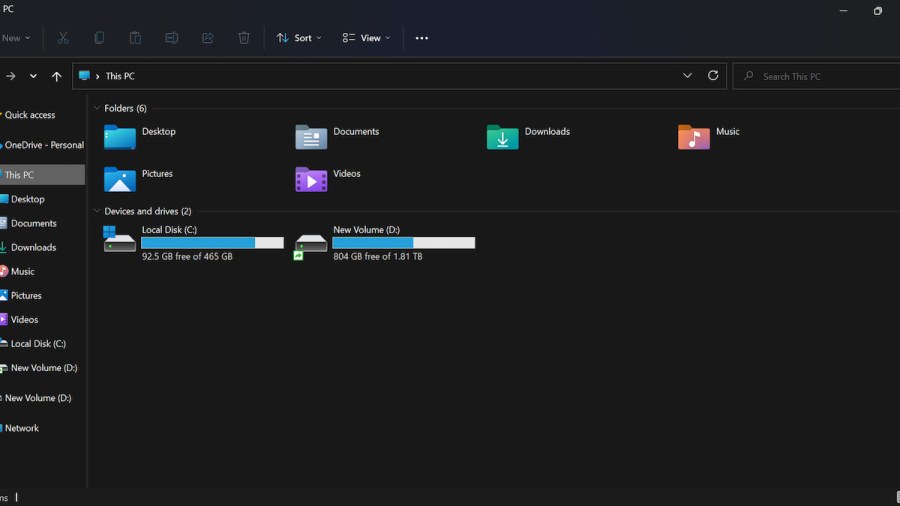
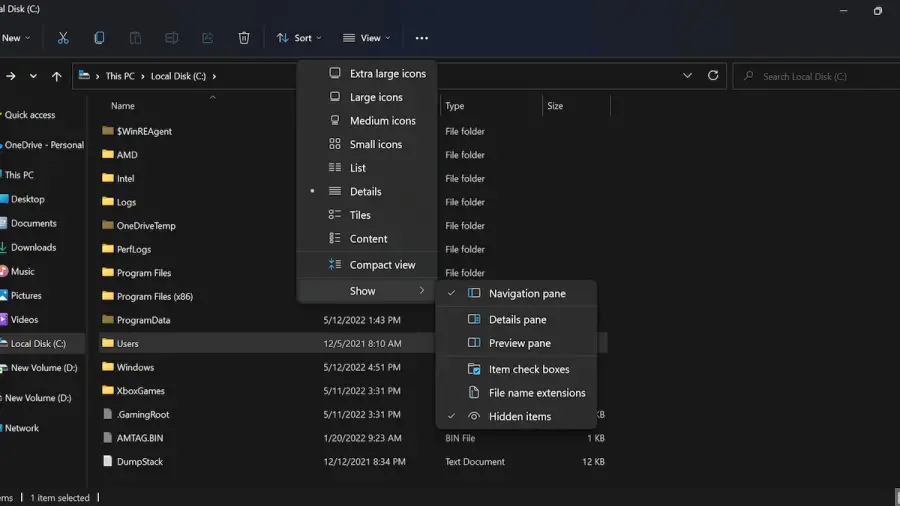
By clicking on theFile Explorericon on the player’s Taskbar and navigating toThis PC, players can click onLocal Disk(C:)where the V Rising’s saves will be installed. From there, players should click onUsers, followed by the name of the User.
Related:All V Blood Boss locations in V Rising
After the last step, click onAppData. If AppData does not appear, click onViewthenShowto make sure thatHidden Itemsis toggled. From AppData, click onLocalLow, then clickStunlock Studios. The save data is in theV RisingFolder underSaves. The presets for Server Settings can also be found here. In the Saves folder, players will have 14 Auto Save folders, their Session ID file, Server Game Settings file, and Server Host Settings file.
For more V Rising guides, check outHow to fast travel to your base in V Risingon Pro Game Guides.