To multiplayer with friends in V Rising, you will need to either join a server or host a server yourself. If you join a server, you and your friends can play multiplayer together by joining the same server as you. After joining the same server, you will need to meet up in the game.
But if you rather play on a server with just your friends, you can do it by hosting aPrivate Game. To host a private game, click the Play button in the main menu. Doing so will take you to a screen that will present the following options:

Related:How to turn off Global Chat in V Rising
We recommend hosting a Private Game as it is the easiest out of the options available. Selecting Private Game will take you to the page shown in the image below, filled with several server options. We recommend looking through these server options and setting them according to your taste and play preference.
You set custom settings by clicking Advance Game Settings. When you finish selecting your settings, clickSaveat the bottom right corner, head back to the previous page, and click then start New Game. After your game starts, your friends can join in on you by right-clicking on your name in the Steam Friends List, or you can invite them through Steam. If you want to invite your friends, Right-Click on their names and clickInvite To Playto invite your friends.

How to Create a Clan in V Rising
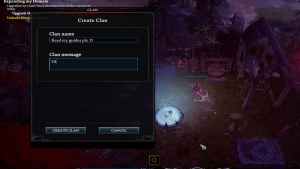
If you want to create a Clan in V Rising, you will need to press the P key. Pressing the P key will open up the Clan creation page in the game. On the page, you can create your Clan by pressing the create a Clan button shown below.
After Pressing Create Clan you can then select your Clan’s name and welcome message. Fill both out to your preference and then hit Create a Clan again. After hitting Create a Clan for the second time your Clan in V Rising will be created.
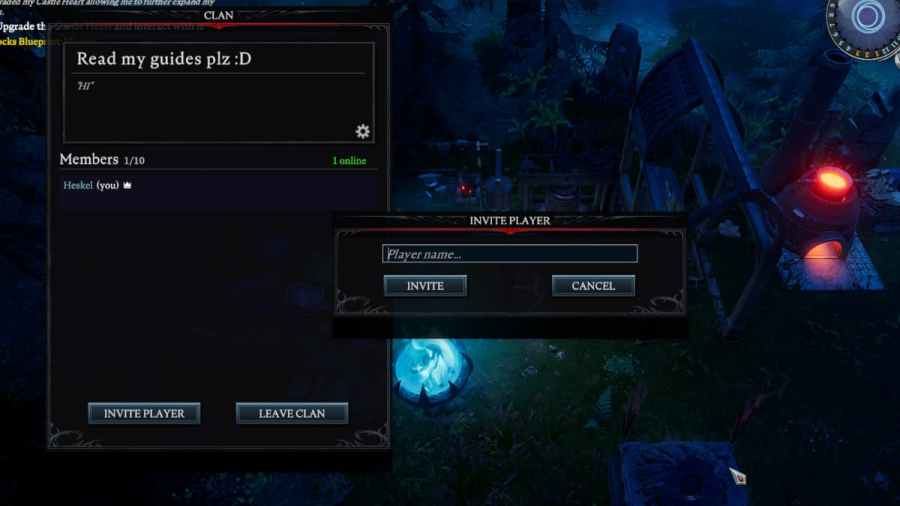
How to invite friends to a Clan in V Rising
To invite your friends to your Clan, all you need to do is open up the clan page in V Rising. After opening up the Clan page, press Invite a Player. Doing so will allow you to type your friends' names into a text box. Put your friends' names into the text box and press invite one by one, and you will invite your friends to your Clan.
All Online Game Modes in V Rising Explained
There are currently four online game modes in V Rising. Each offers a unique experience forPVPorPVEplayers with varying settings and rules. The following is each of these Online Game Modes explained in V Rising.
For more on V Rising, we recommend checking out bothIs V Rising an MMO?andDoes V Rising have controller support?