Roblox Shindo Life is the ultimate open-world experience for anime fans with its Naruto-inspired gameplay. You can craft your character and develop their skills as you venture around the massive villages and landscapes, defeating enemies and training your abilities. Try your hand in other game modes, battling other players in arenas, and more. You can do so much in Shindo Life with plenty of small details on grinding your levels and becoming the ultimate warrior. Here are some tips and tricks to get you started!
Tips on Creating a Character
One of the best things about Shindo Life is the freedom to create a character personalized to your preferences. There are plenty of customization options to cycle through that allow you to make the warrior of your dreams. This is an essential step in beginning your Shindo Life journey.
How to customize your character in Shindo Life
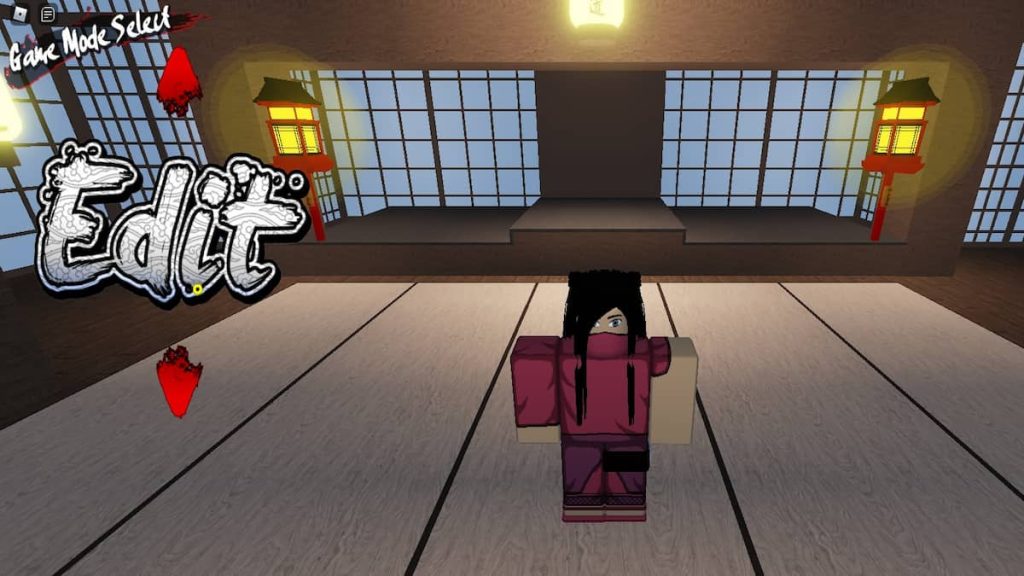
To begin creating and customizing your character, scroll through the options on themain menuby pressing the largered arrows. When you see the option toEdit, press on this, and it will take you to the character customization menu.
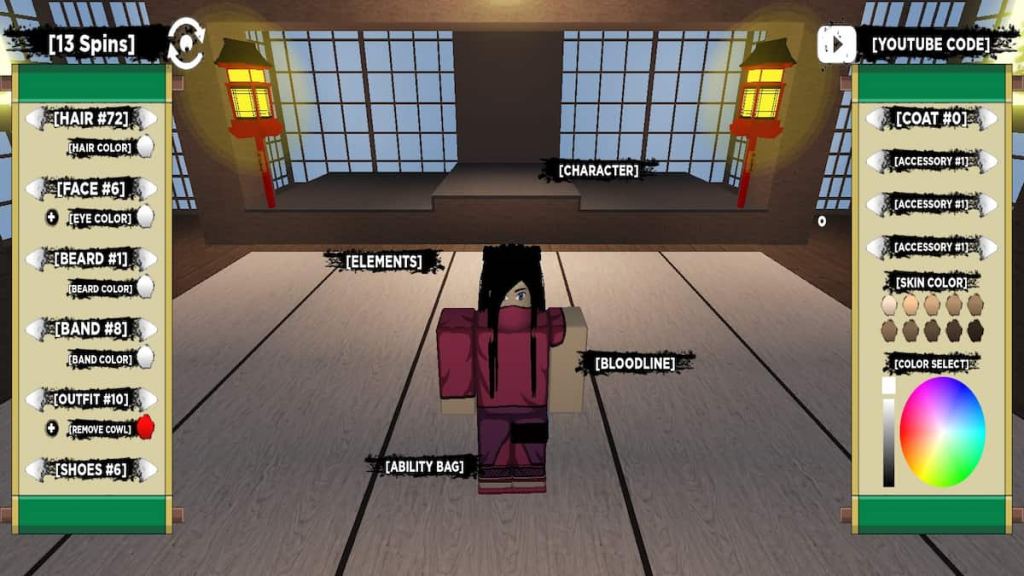
Pressing the button[Character]will allow you to change your appearance. On the left side are the style of your outfit, hair, face, band, and more, which can be changed by pressing the arrows left or right to cycle through the options. On the right side, you can change the color of each object, your accessories, and your skin. Take your time to create a character you love!

How to spin for Elements and Bloodlines in Shindo Life
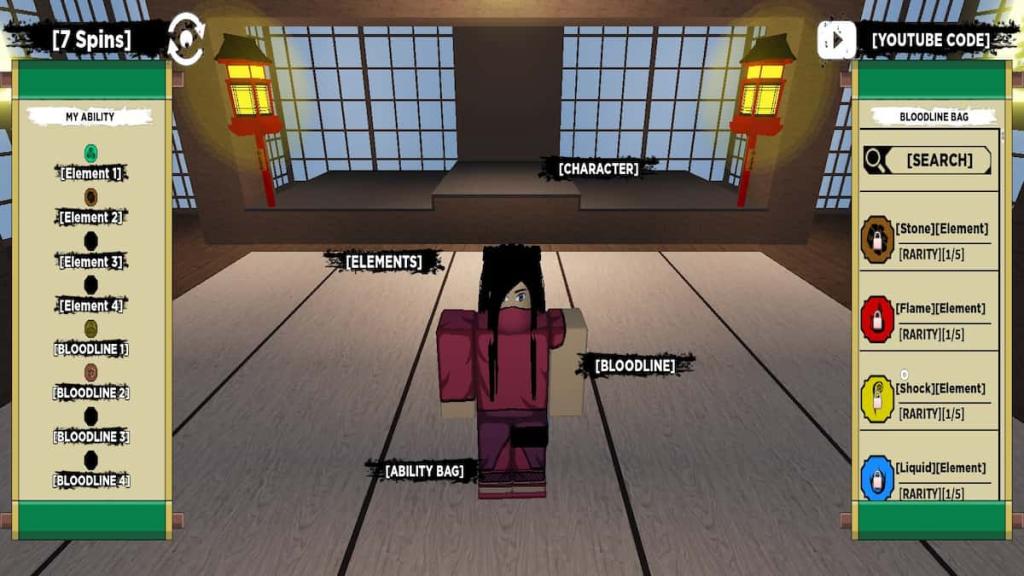
You can also spin for randomized Elements and Bloodlines in the character creation menu. These are important for determining what skills and abilities you will have. Pressing the[Ability Bag]button will take you to this page, where you can see each possible outcome for Elements and Bloodlines. Then you can press onto the[Elements]and[Bloodline]pages to spin for a chance at receiving some rare ones. You can have two of each at the start or use some Robux to purchase more slots.
At the top left, you will see how manyspinsyou have available to you. If you land on an Element or Bloodline that you aren’t fond of, you can keep spinning until all those spins have been used up. However, they are shared between the two categories, so use them wisely.
Related:Best Bloodlines in Roblox Shindo Life
Tips on Completing Quests
It’s a good idea to pick up quests and complete missions to gain experience and coins in your journey of Shindo Life. They are the best way to level up quickly and receive unique rewards that will significantly enhance your character.
How to accept a quest in Shindo Life
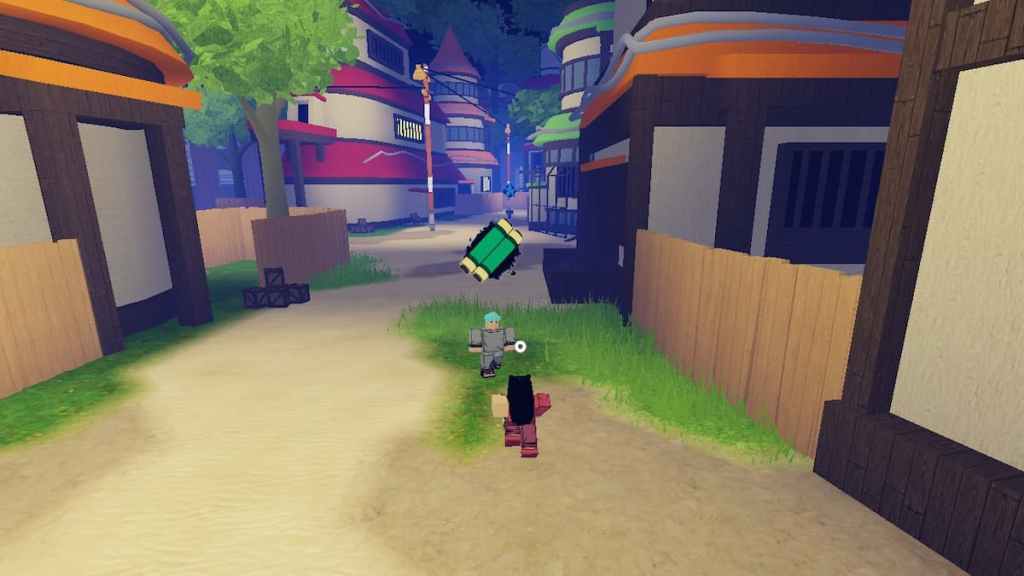
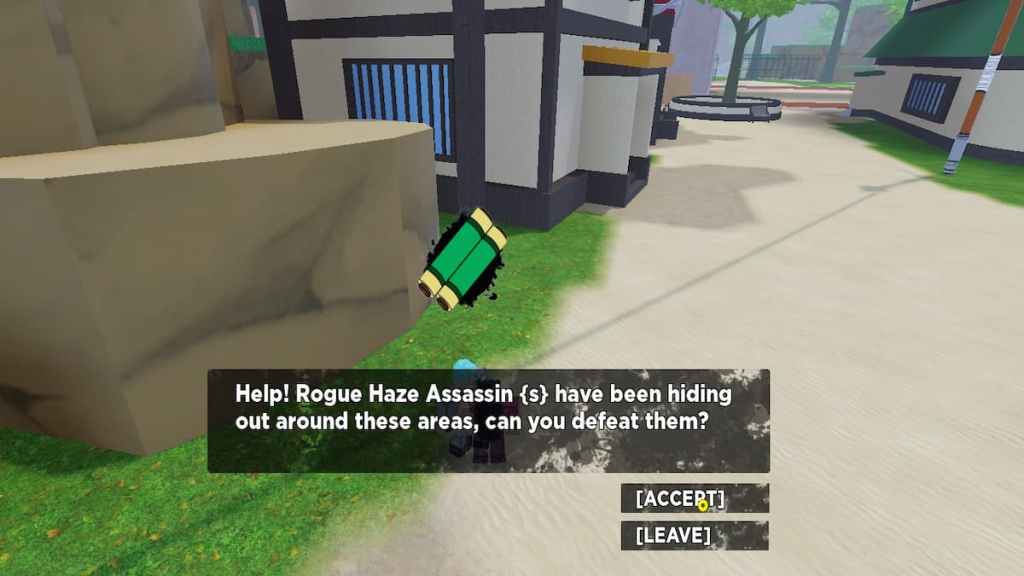
To pick up some objective quests from NPCs, look for agreen scrollicon hovering over their heads. you’re able to usually find a few NPCs like this located within the villages. When youpress on the NPC, they will reveal their dilemma, and you will have the option to[Accept], or you can turn it down.
After you accept the quest, you will see it displayed on the left side of your screen. Then you will want to track down thered targeticon that pops up on your screen. This will lead you to the enemies or tasks you must complete, and fulfilling that action will automatically complete the quest and reward you.
How to claim a mission in Shindo Life
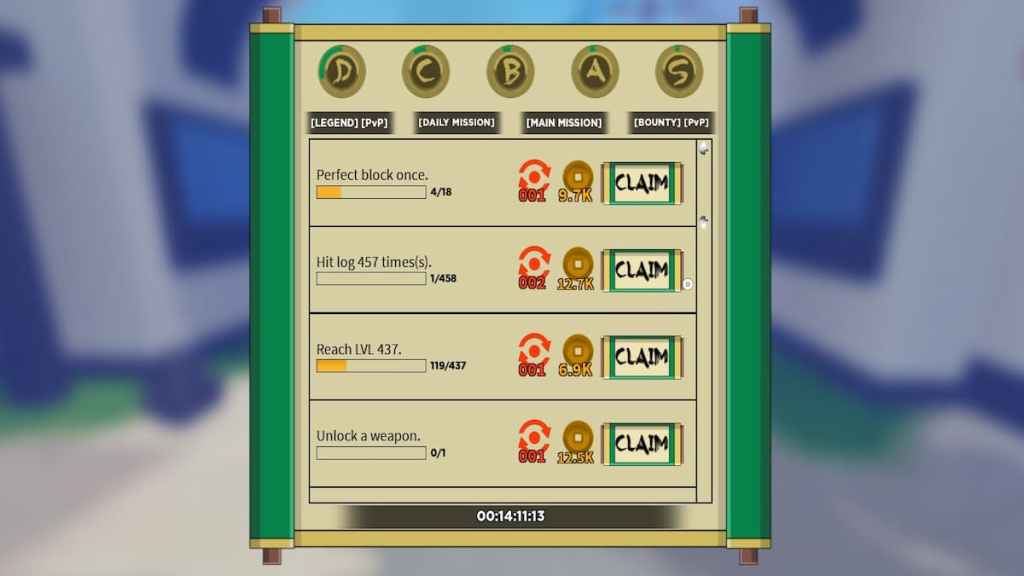
Some missions are not given by NPCs and require a more difficult task to be completed. The rewards for these are also more remarkable than the quests given by NPCs. You can find thesemissions bypressingLon your keyboard. You can keep track of your progress here, and you will be able toclaimthe rewards for each one once they are accomplished.
Tips on Leveling up
You need to level up during your time in Shindo Life to gain new abilities and skills in battle. The only way you will be able to become the ultimate warrior and take on the most powerful of enemies is to train and develop your potential continuously.
How to spend skill points in Shindo Life
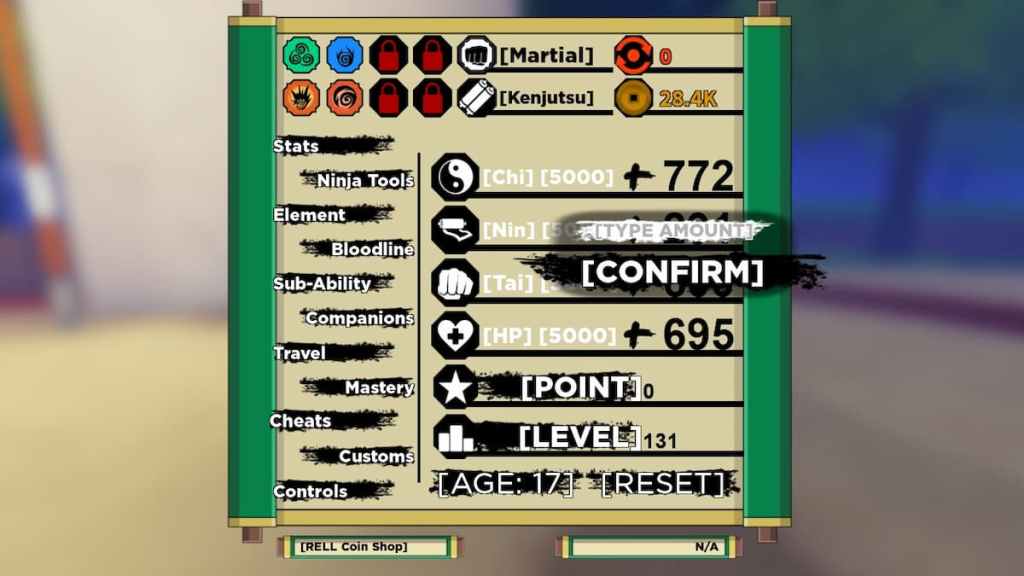
As you battle enemies and complete quests around the world, you will gain skill points. Skill points increase your attributes and make your character stronger in battle. You can open this menu by pressingMon your keyboard and navigating to theStatspage. As your hover over each attribute, it will show you what they do for your character. You can see how many points you have available by the star icon that is labeled[Point].Clickingon oneattributewill allow you totypein thenumberof skill points you wish to add to it and then select[Confirm].
How to unlock abilities in Shindo Life
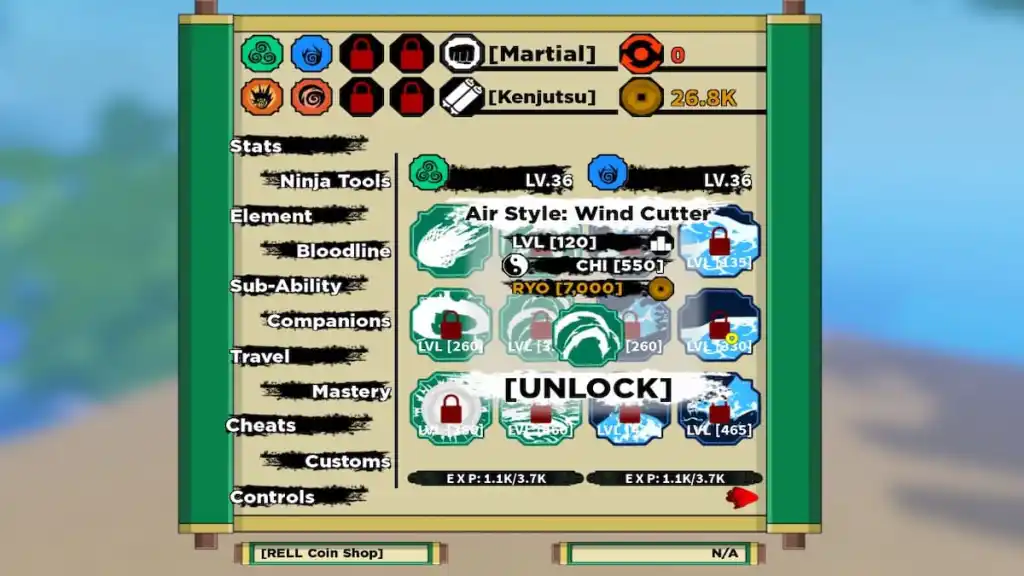
When you battle enemies and use your abilities, you will gain experience toward your Elements and Bloodline. As you reach higher levels, you will be able to unlock new abilities to use. PressMto open the menu andclickonElementorBloodlineto find the different ability pages. They will reveal the level required for them right on their icons. When youclickon anability, it will give you the option tounlockit, but you must meet the requirements shown, such as high enough attributes of CHI or amount of RYO.
Related:Shindo Life Codes – Roblox (May 2022) – Free spins and EXP!
How to equip abilities in Shindo Life
Once you have some abilities unlocked, you will want to make sure you have them equipped with a key for you to use. In the sameElementandBloodlinepagesin theMmenu, you will see the abilities without locks over them are the abilities you have available.Pressingon one of thoseabilitieswill show you a list of key options for you to equip it to.Clickon one of thosekey optionstoequipit, but make sure you provide each skill with a different key.
Tips on Battling
Shindo Life is all about battling, whether you take on NPC enemies or other players in the Arena. The only way to gain experience and unlock new abilities is to fight. So, here are some tips on how to battle effectively.
How to attack and defend in Shindo Life
Proper defense and offense are crucial to your battle experience in Shindo Life. You will want to deal as much damage as possible to your enemies while also dodging their hits back at you. To deliver abasic attack, you will need to clickM1on your mouse’s left side. Make sure you are at a close enough distance for your arms and legs to make contact. You can also deal out astrong punchby pressing theQkey on your keyboard.
When the enemy goes to return a hit at you, you canblockthe blow by holdingM2on your mouse, which is on the right side. Abilities are not capable of being blocked most of the time, so try to constantly keep moving and avoid trying to block when enemies are not using basic attacks.
How to use abilities in Shindo Life
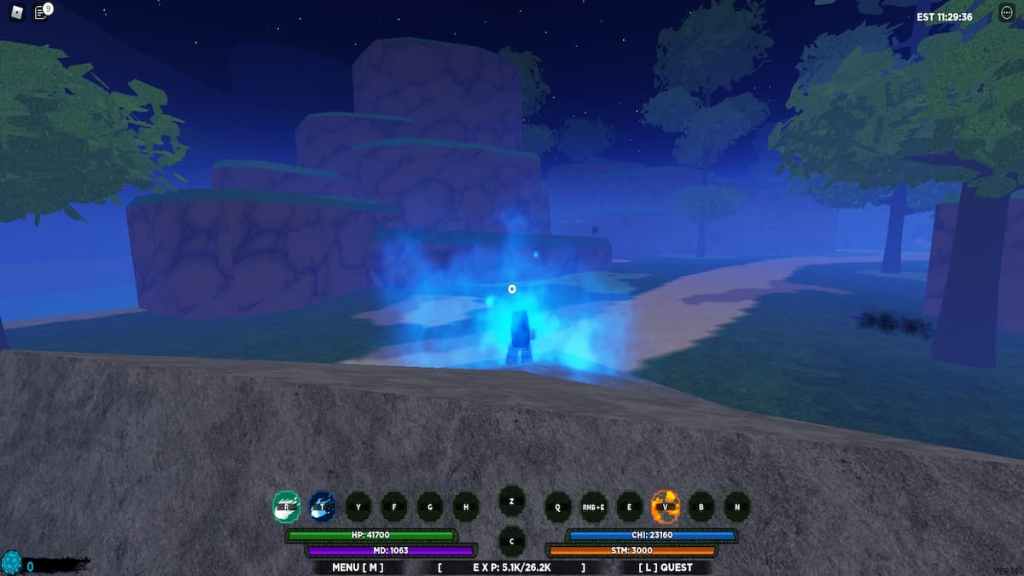
To deal some significant damage to enemies, you will want to use your abilities. As shown above, you may equip abilities with specific keys for quick access during battle. These will be shown at the bottom of your screen with their keys. To use an ability, you first need to haveCHI. You can keep track of your CHI on the bottom right of your screen. If your CHI is not full, you can holdC to chargeup.
When your CHI is full, you are ready to use an ability. Approach an enemy and make sure your cursor is lined up with them. Then,holddown one of thecorresponding keyson your keyboard to use the attached ability, such asR,T, etc. When youreleasethekey, it will shoot out at the enemy.
How to heal in Shindo Life
Every once in a while, especially if you are harmed during battle, you will see a notification pop up on the right of your screen telling you that your character is hungry. You can visit variousRamenstations in the villages tohealyour character andincreasetheirregencapabilities. When yousitdown in achairat a Ramen station, your character will automatically begin eating. Once they are done, they will stand back up, and you are ready to continue your journey.
Looking for more Pro Game Guides Shindo Life content? Check out our guides onWhat is the best Element in Roblox Shindo Life? | Elements Tier ListorHow to get Susanoo/Samurai Spirit in Roblox Shindo Life?