In LEGO Star Wars: The Skywalker Saga, players will be able to unlock several iconic Jedi and Sith characters in the game. Supreme Leader Snoke is one of them, and to unlock him, players will have to travel to Exagol. This planet is available in the Be With Me mission in Episode IX: The Rise of Skywalker.
How to solve the Snoke Puzzle on Exagol in LEGO Star Wars: The Skywalker Saga?
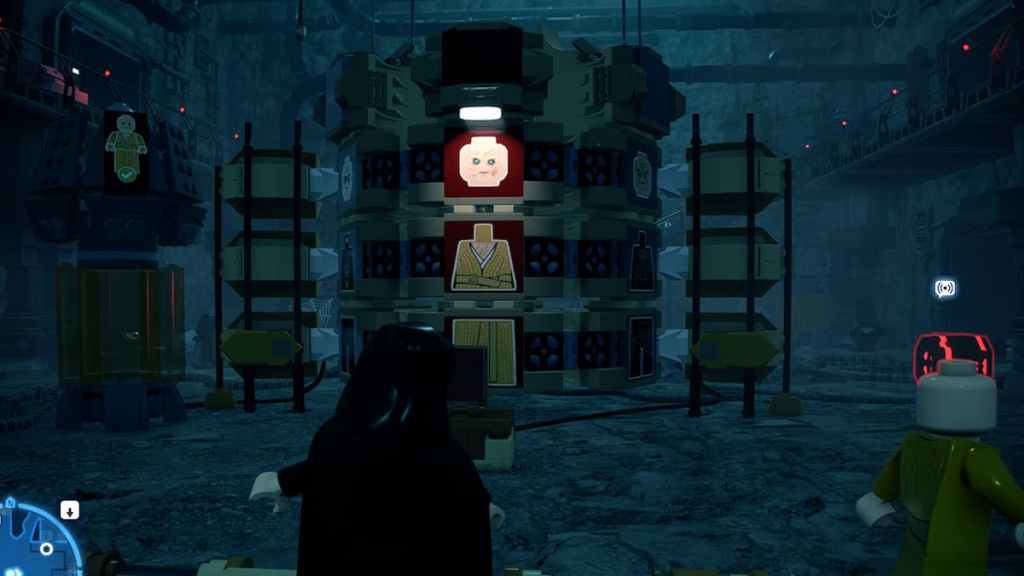
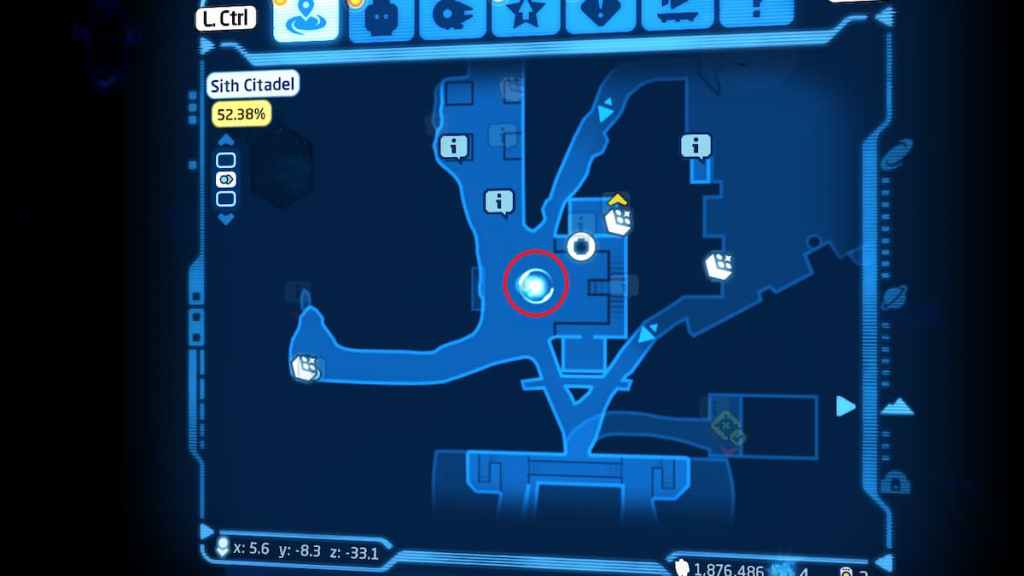
After arriving at the Landing Pad, head straight towards the elevator that leads down to Sith Citadel. Walk straight from the elevator to reach Snoke’s Puzzle. Coordinates for this location are listed below, and you can also check the map image above.
Related:How to unlock Kylo Ren in LEGO Star Wars Skywalker Saga

Complete the Puzzle sequence by aligning all of the blocks that match Snoke’s character, for reference, you’re able to follow the image above. Players need to stand on the red switch in front of the Puzzle at the right time to align all three blocks.
Once that’s done, Snoke’s clone will be recreated, and you will be able to access him in the Character section. Visit the Dark Side slot in the Character section to purchase Snoke for200,000 Studs.
Wondering how to unlock the true power of the Dark Side as Rey? Check outHow to get Rey (Sith) in LEGO Star Wars Skywalker Sagaon Pro Game Guides.