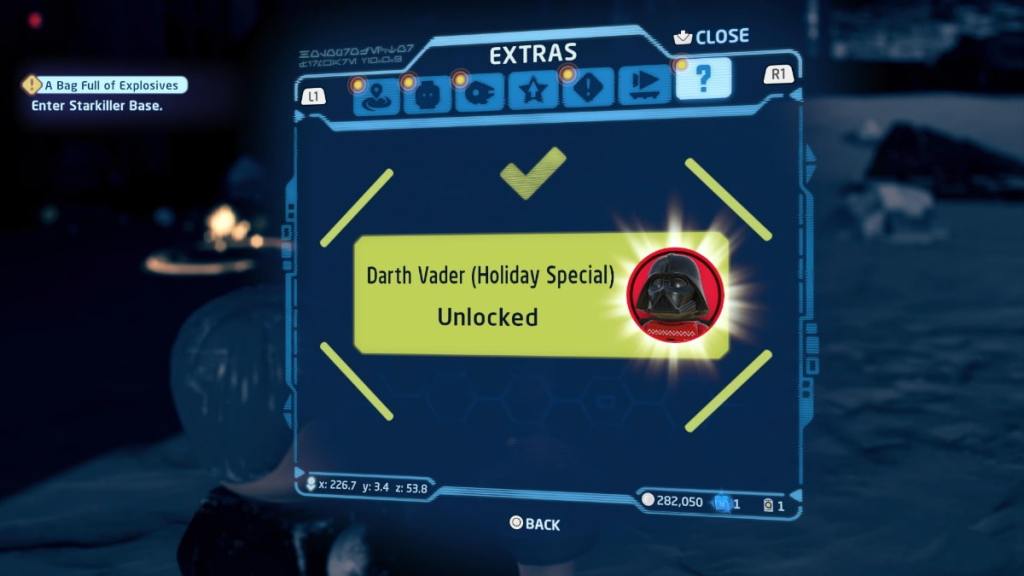
LEGO Star Wars: The Skywalker Saga boasts a wide array of characters from across the franchise for users to unlock and use, including the iconic Sith Lord, Darth Vader. This Star Wars antagonist doesn’t come unlocked when players turn on the game, so you’ll need to hit specific tasks to acquire the character.
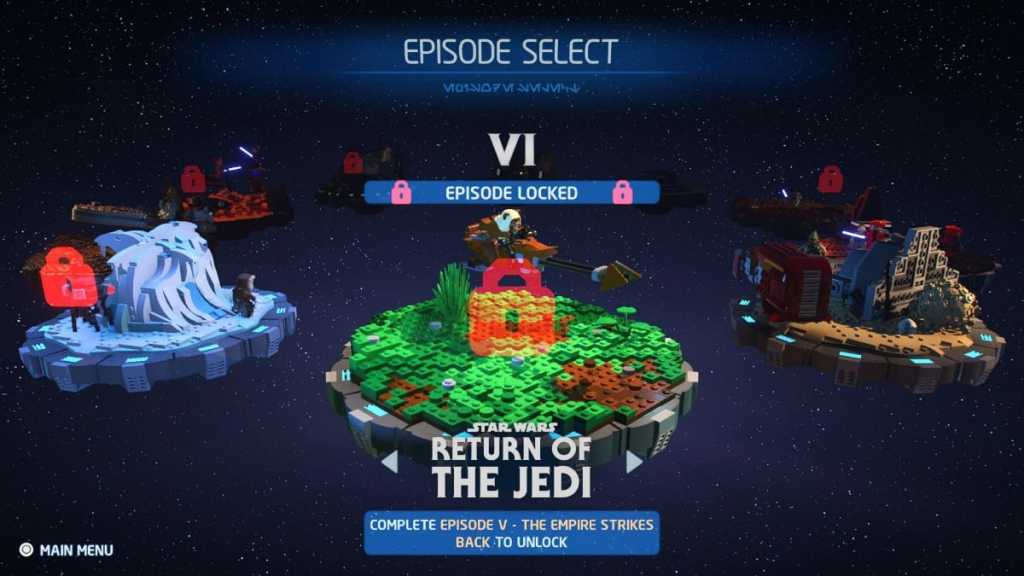
Players will have to complete Episode VI: Return of the Jedi to unlock Darth Vader in LEGO Star Wars: The Skywalker Saga. Once you’ve completed this episode, you’ll be able to purchase Darth Vader masked and unmasked from the Character menu. Return of the Jedi is only available to those who have completed Episode IV: A New Hope and Episode V: The Empire Strikes Back.

Related:How to unlock Kylo Ren in LEGO Star Wars Skywalker Saga
Players can also unlock a unique Holiday variant of Darth Vader by using the codeWROSHYRin the Extras Menu. To enter codes in LEGO Star Wars, open your menu, head to the Extras Tab, and enter your code by pressing the prompt at the top of the menu segment. If you enter the code correctly, you’ll gain access to the unique Darth Vader Skin.
The Dark Vader code is one of many codes that players can unlock characters in LEGO Star Wars: The Skywalker Saga. Visit ourAll codes for LEGO Star Wars Skywalker Sagato unlock more characters.
For more on LEGO Star Wars: The Skywalker Saga, visit some of our other articles here on Pro Game Guides,like“I don’t like you either!” Trophy/Achievement guide – LEGO Star Wars Skywalker Saga.