Franchise mode returns in Madden 23 with new features like deeper player scouting, free agency additions, and player motivations. Franchise still has various options for a starting point including launching an entire Fantasy Draft. Here is how to start a Fantasy Draft in Madden 23.
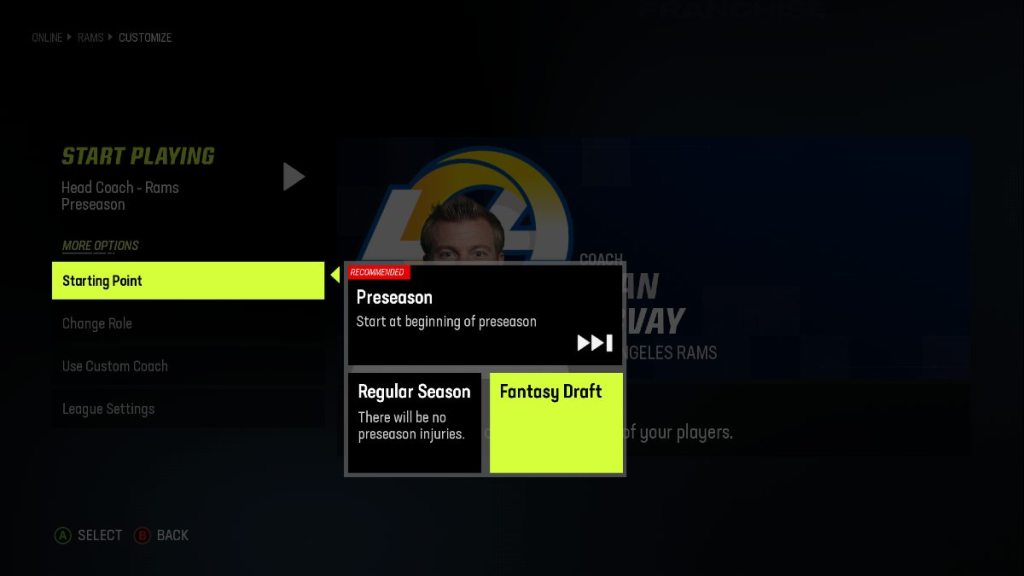
To start a Fantasy Draft, first, go to Franchise Mode from the main menu and select Start New. After selecting what team you want to control, scroll down to theStarting Pointoption.Select Fantasy Draft, then make sure you select your role, which includes player, coach, or owner. If you selectplayer, you will be drafted to a random team, but if you selectcoachorowner, you can fully draft a new roster.

Related:All new features and updates in Madden 23 Face of the Franchise mode
After selecting your role and choosing the Fantasy Draft starting point, you can continue to your Franchise. You can selectStart Draftand start a whole new team from scratch. Unfortunately, you still cannot select your pick number, so you will have to start over if you are unhappy with your placement and miss out on some of thebest players.
If you are playing Franchise alone when first starting your draft, selectPause Draftto stop the timer, so you have unlimited time to select what player you want to draft. After drafting, you can adjust your roster, hire staff, and start your preseason.
For more Madden 23 guides, check outMadden 23: How to Slideon Pro Game Guides.
