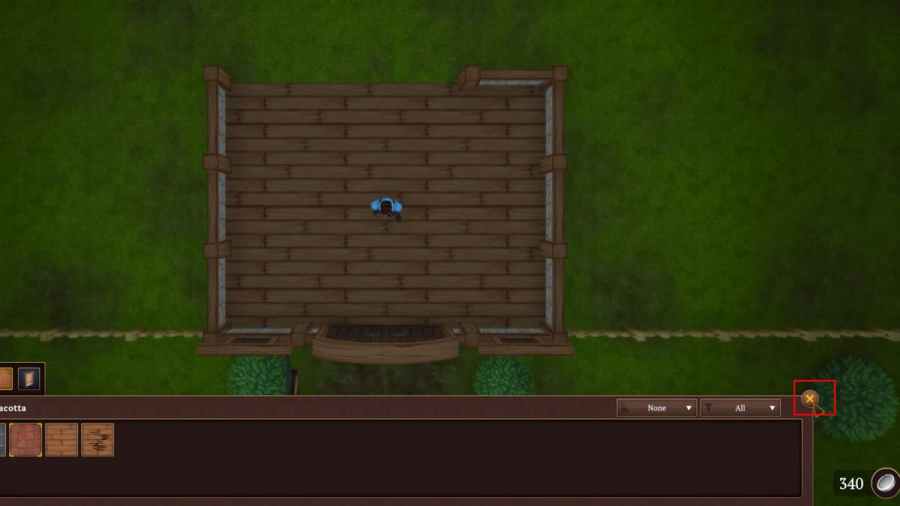
If you are wondering how to remove walls in Winkeltje: The Little Shop, it is simple. In short, to remove walls, all you need to do isLeft-Clickwith your mouse on a wall you wish to remove. After left-clicking, the wall will disappear from your shop building. However, at this stage, the wall is not yet removed, as you still need to confirm the changes.
To confirm the changes, you need to press theXbutton. You can find the X button as shown below. After confirming the changes, the wall will permanently be removed from your shop, allowing you to build a new room, doorway, or anything you wish to replace.
Related:How to Remove Fog from cities in Expeditions: Rome
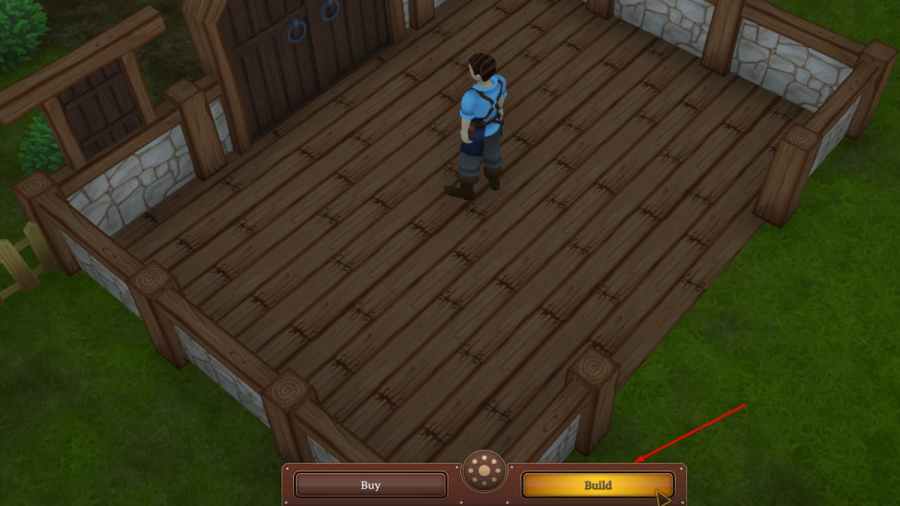
How to enter build mode in Winkeltje: The Little Shop
If you want to remove objects or walls from your shop, you will first need to be inbuild mode. You can enter build mode by finding theBuild buttonat the bottom of your screen. Once in Build mode, press theLeft mouse buttonon the wall or object you wish to remove from your shop. Before removing anything from your shop, make sure you are100 percentsureyou want to remove it. In short, once you remove anything, there is no way to get it back, and the changes arepermanent.
For more onWinkeltje: The Little Shop, we at Pro Game Guides have you covered!