The Almighty Arataki Great and Glorious Drumalong Festival is a Genshin Impact rhythm game event that runs fromJune 13, 2022, to July 03, 2025. During the event period, you may enjoy seven pre-made beatmaps, plus custom beatmaps made by you and other players. All players Adventure Rank 30 and above who have completed theRitou Escape Planpart of the Archon Quest Chapter II: Act I - The Immovable God and the Eternal Euthymia are eligible to participate.
How to unlock Genshin Impact’s The Almighty Arataki Great and Glorious Drumalong Festival
After meeting the requirements, initiate the event by heading to the event menu and select The Almighty Arataki Great and Glorious Drumalong Festival. ClickAccept Invitation, read Itto’s letter, then selectCollapseto begin the Event Quest. Follow the dialogue until you meet the Arataki Gang on Amakane Island’s isolated shore to start playing beats.
Related:How does the note falling speed work in the Genshin Impact The Almighty Arataki Great and Glorious Drumalong Festival event

How to Make an Advanced Beatmap in the Arataki Gang’s Rhythm Game Event in Genshin Impact
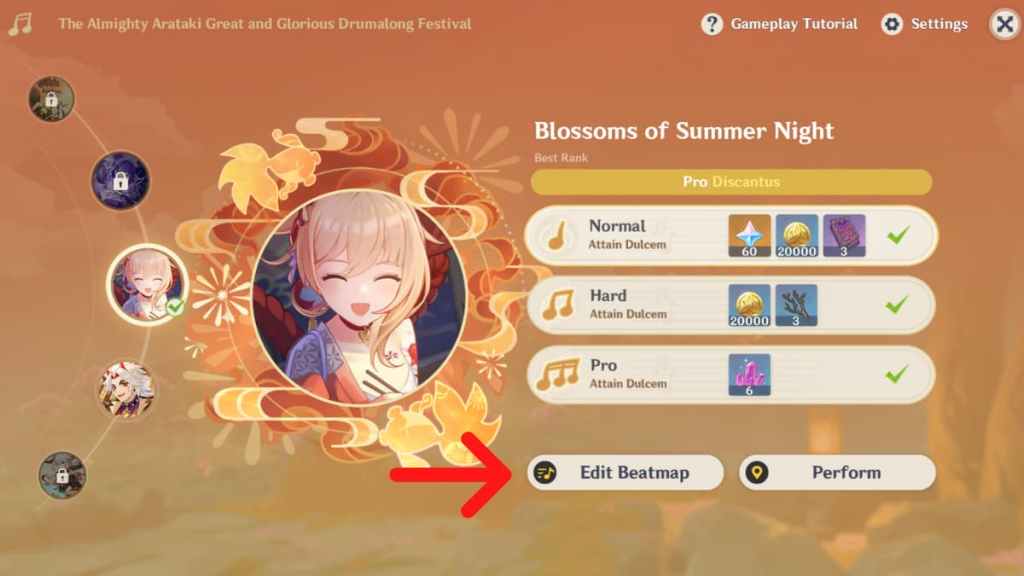
Genshin Impact’s beatmap editor allows you to create your own variation of the music score, limited to the songs used in the event. Start by clickingEdit Beatmapunder your preferred song to open the beatmap editor. There are two settings you can use:basicand advanced. In this guide, we’ll run you through theadvanced editing features.
Advanced Editing Interface
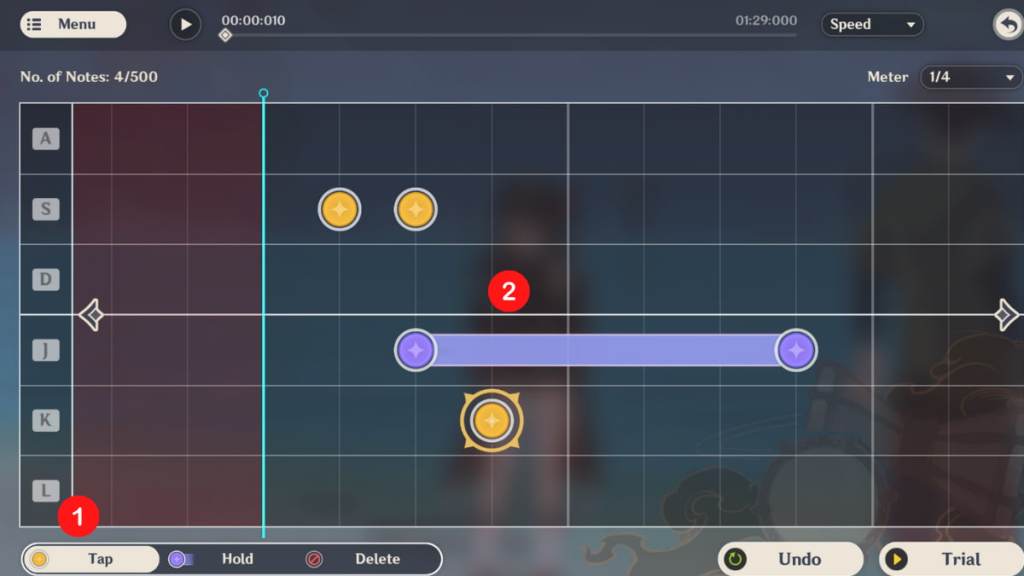
Upon opening the editor, selectAdvanced Editingon the lefthand panel. You’ll open up a more complex menu, where you have full control over the note placements on the music score. The interface is a lot simpler than it looks. Here’s a breakdown of all the parts:
Related:Aqua Simulacra: How to get, Ascension, stats, and who can use it in Genshin Impact
How to Place Notes in the Beatmap
Start bychoosingwhether you want a Tap or Hold note on the bottom left of the screen. After making a selection,clickon the area in the music score where you want to place the note. For Hold notes, click on two areas—one indicates where the note starts and the second indicates where it ends. Keep in mind that notes can only be placed ontime signatures, which are the vertical lines on the music score.
If you want more time signatures, change theMeteron the upper right of the screen. More time signatures mean more notes can be placed, but the maximum number is always 500. Notes can bemoved left or rightdirectly on the music score by clicking and dragging. To remove a note, clickDeleteon the bottom left, then select the note you want to remove. You can play the music at the top of the screen to help you gauge whether note placements are appropriate. Don’t forget toTrialat the bottom right to test the beatmap yourself before sharing.

How to Save, Import, and Share Your Beatmap
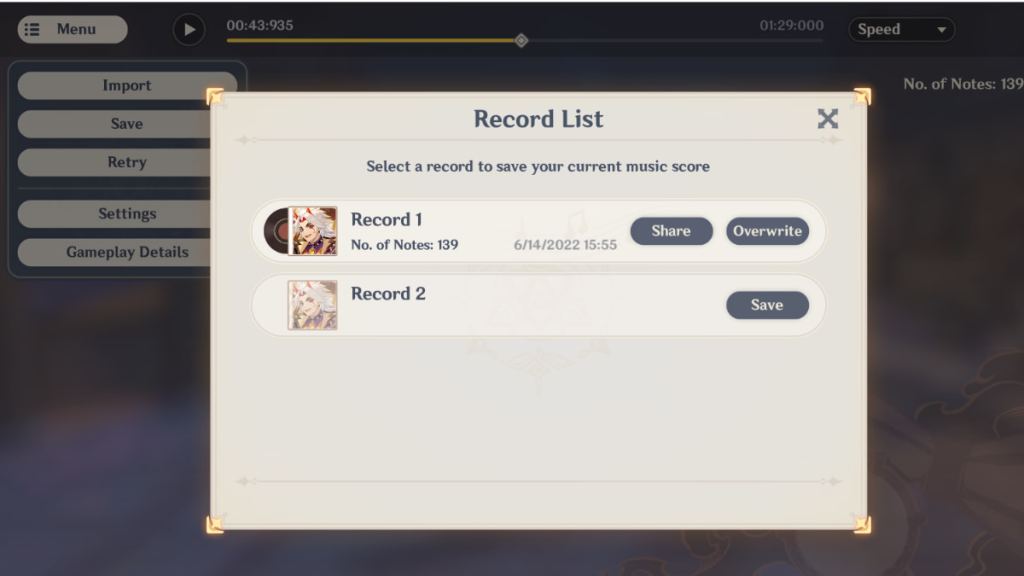
Head to theMenuon the upper left of the screen and selectSavefrom the dropdown to open your Record List. you may own up to two Records (custom beatmaps) at the same time.Make sure to click Save or Overwriteon one of the Record slots to save your work or you’ll lose it after exiting! Keep in mind that overwriting an old Record will cause the original file to disappear. You can save unfinished work and continue working on it again. To open a work in progress, click theImportbutton from the dropdown and select your Record.
Meanwhile, you can share your custom beatmaps with others. Head to the Record List from the Save dropdown and clickShare. Genshin Impact will generate aSharing Codethat others can use to play your work. However, you need to reachDiscantus(any difficulty level) in the event song to receive a Sharing Code.
Check outGenshin Impact 2.8 – Leaks, reruns, events, new area, and everything we know so farto get excited about upcoming content.