To link your Twitch account with MLB: The Show 22, you must first create an MLB: The Show Account. Go to theMLB: The Show Account pageand clickThe Showand eitherregisterorlog in.
Once you have an MLB: The Show account, log in and link your console account. If you have progress linked to your console account, verify you select to link progress with the console account and not another one, otherwise, it will reset your MLB: The Show 22 progress.

Related:How to get called up in Road to the Show in MLB: The Show 22
How to Link Twitch Account
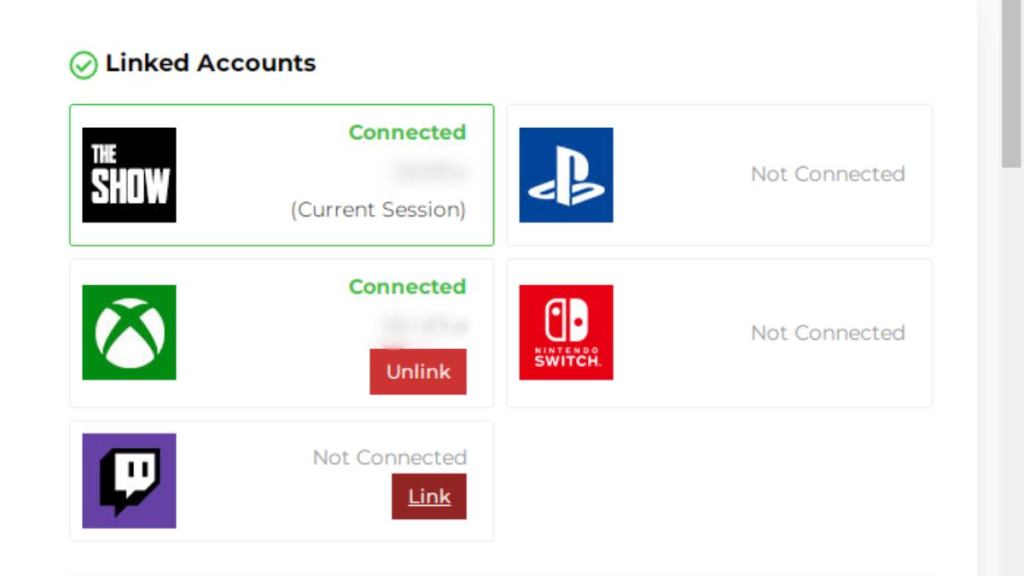
Once you have both the MLB: The Show account and your console account linked, the option will pop up to link your Twitch Account on the MLB account main page. SelectLink Accountnext to theTwitch iconandlog inorauthorizethe application.
Once you link your Twitch account, you may need to log out and log back into your MLB: The Show account to complete it. Once done, you now have your Twitch Account linked and can gather Twitch Drops or have some of your own by enabling Drops on your Twitch stream.
For more MLB: The Show guides, check outHow to earn Stubs quickly in MLB: The Show 22on Pro Guides.
