If you want to install and play the Valheim VR Mod, you must start by visiting themod’s official pageon theNexus mod website. When visiting the mod page for Valheim VR, you want to download the latest version of the mod. You can download the newest version by going into the file section on the mod page and grabbing the latest download. But besides the most updated version of the mod, you will also need to downloadBepInExPack Valheim.
BepInExPack is a general purpose framework for Unity modding, which the Valheim VR mod requires to run. That said, you can find the BeiInExPack on its mod page over at theThunderstore website. Download both the latest versions of the Valheim VR Mod and BeiInExPack, and you are ready to start installing Valheim VR.
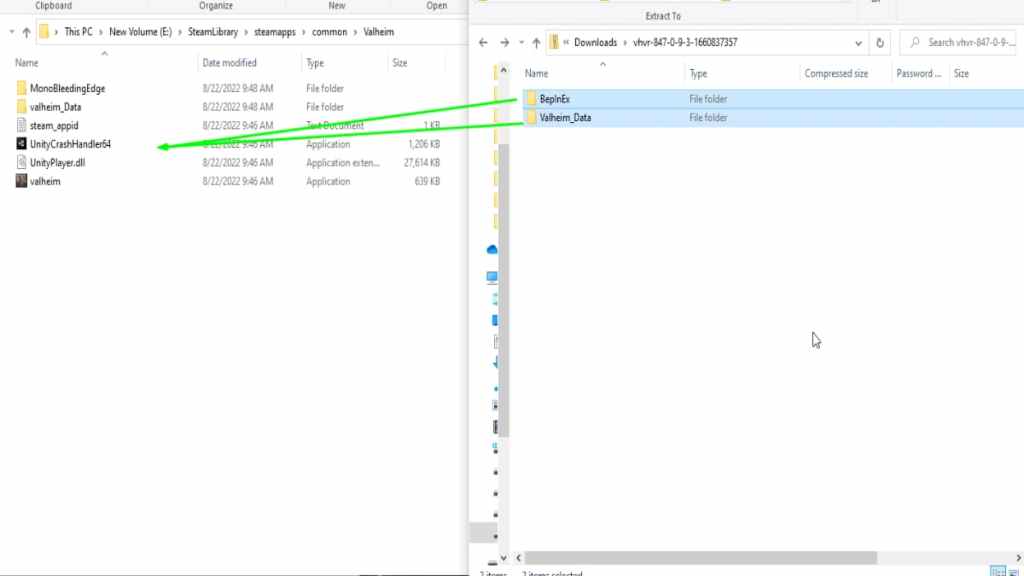
The first step for installing Valheim VR after downloading all required files is to open the VR mod’s folder and move the following files into theValheim Steam game folder:
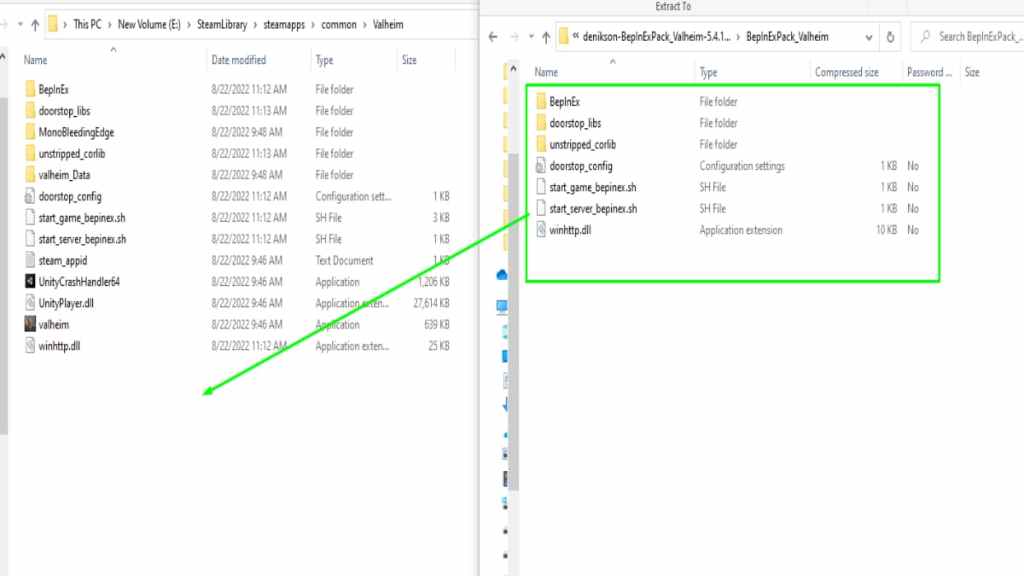
That said, after copying over the contents of the Valheim VR mod, the next step is to move the files inside BeiInExPack into the Valheim game folder. During this next step, you will want to highlight all files inside theBepInExPack_Valheim folderand copy them into the game directory, as shown below.
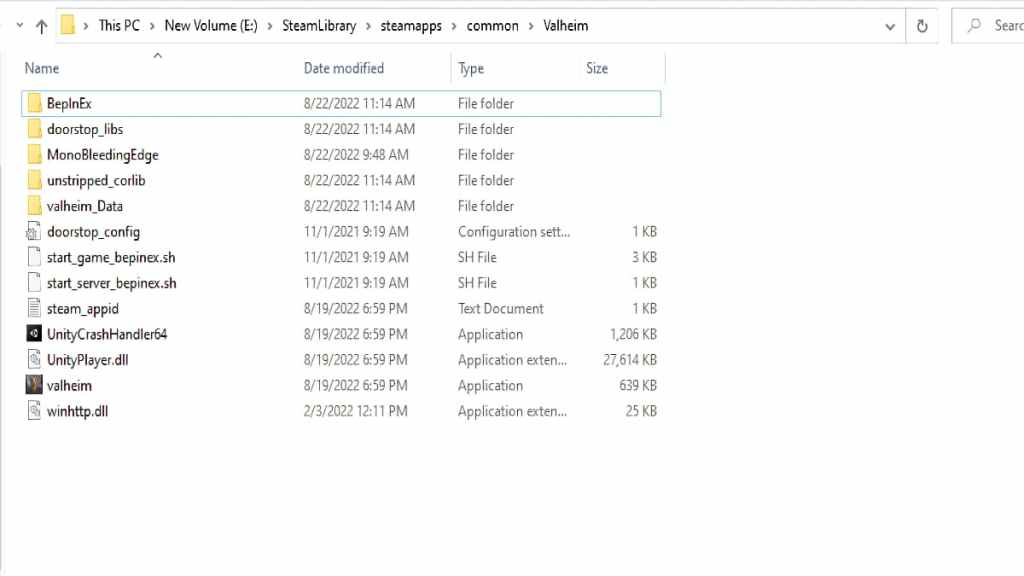
After copying all files inside the BepInExPack_Valheim folder, you will have just installed the Valheim VR mod. But, if you have done all steps correctly, your game folder should look like our image listed below.
Related:How to mod Valheim – Valheim Mod Installation Guide
How to configure Valheim VR
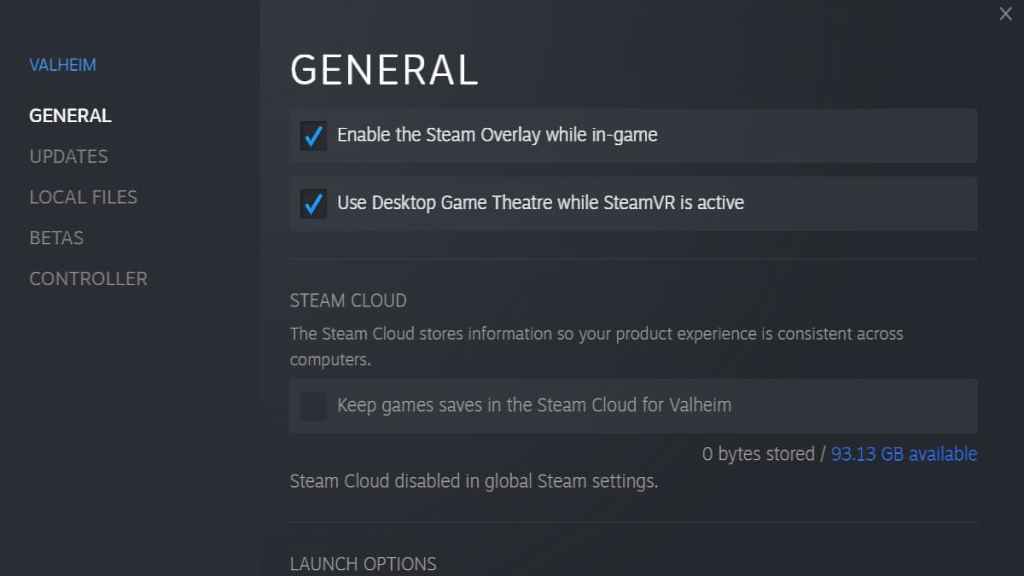
The next step before running Valheim VR is to step up the game to run properly. Start by opening up the properties tab forValheimand check theUse Desktop Game Theatre while SteamVR is activeoption. You can find the Game Theatre option under general settings under the game’s properties tab on Steam. To open the properties tab, right-click the game under the game list and select properties.
That said, after checking the Game Theatre option, you will want to launch the game and put your headset on. Once in the game, you must open up graphics settings and turn off the following graphic options:
After changing your resolution and all other settings listed above, you must restart your game for all the changes to take effect. Afterward, you can play Valheim VR by joining a friend’s game with the mod or creating a world in Single-player.
For more on Valheim, we at Pro Game Guides have you covered with guides likeWhy is V Rising compared to Valheim?andBest way to kill Abominations in Valheim.