Robloxcan be a very addictive game, making it very easy to spend anendless hour jumping around to different worlds. When you’re spending so much time playingRoblox, performance matters a lot. This is why it can be very frustrating if you start toexperience issues with the FPS.
How to Increase FPS for Your Roblox Game
If yourRobloxgameplay is running a bit off, here are some ways to remedy the FPS issue.
Cancel Background Programs
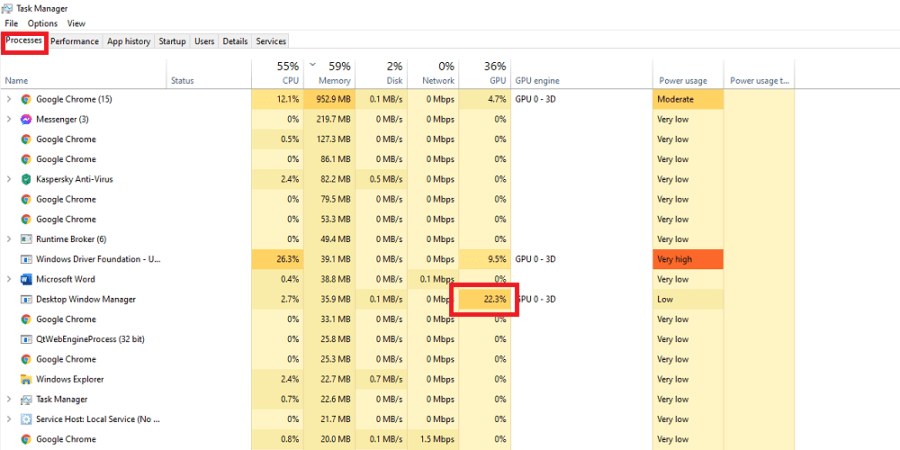
One of the first things you can do to help the performance ofRobloxis to check the status of your background apps. To do this, launchTask Manageron your computer and look at theProcessestab. If there are any extraneous programs that are running hot, right-click and select End Task. This may give you a marginal increase in FPS.
If you’re still suffering from low FPS in Roblox, make sure to check outExitLag. This program helps reduce lag spikes, packet loss, and increase your frames per second (FPS) by optimizing the route your system takes to the game.Normally, your Internet Service Provider (ISP) chooses which route it takes to the game. Unlike your ISP, ExitLag uses several routes simultaneously, optimizing your connection while enhancing the network’s stability and performance using a “multipath connection.” Hundreds of servers worldwide help guarantee a stable connection from anywhere to anywhere.
The program will also make adjustments to your operating system to enhance your in-game performance and ensure you’re getting the most FPS using real-time optimization. ExitLag is the perfect solution for gamers to get the most out of their gaming experience. It’s a one-stop-shop for gamers suffering from packet loss, lag, or ping spikes while trying to enjoy their favorite game.ExitLag works for over 500 game titles and is continuously adding more. Our readers can get a free three-day trial (no credit card required) ofExitLag using this link.
Disable Textures
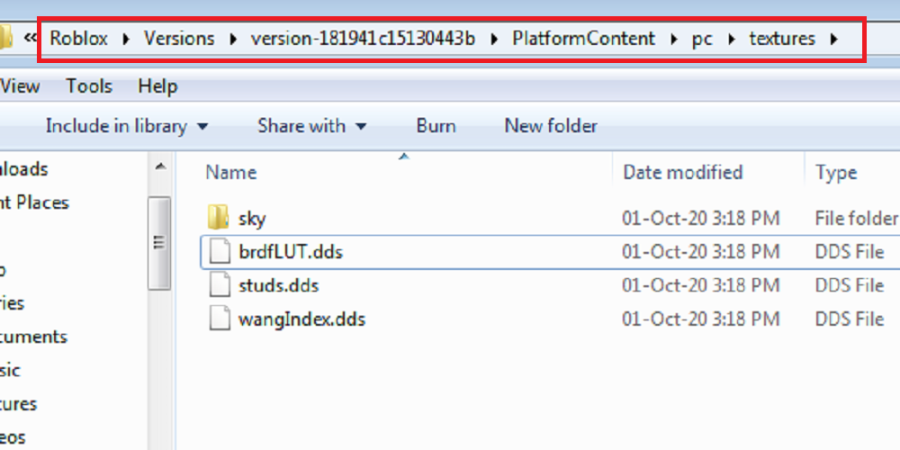
Go to yourRobloxfile on your PC. ThenVersions,Platform Content,PC, and finally onTextures. Delete everything BUT.ddsfiles and theSkyfile. This will significantly reduce the graphics in the game, but it will increase FPS.
Related:How to customize your Roblox avatar
Lower Graphics Quality
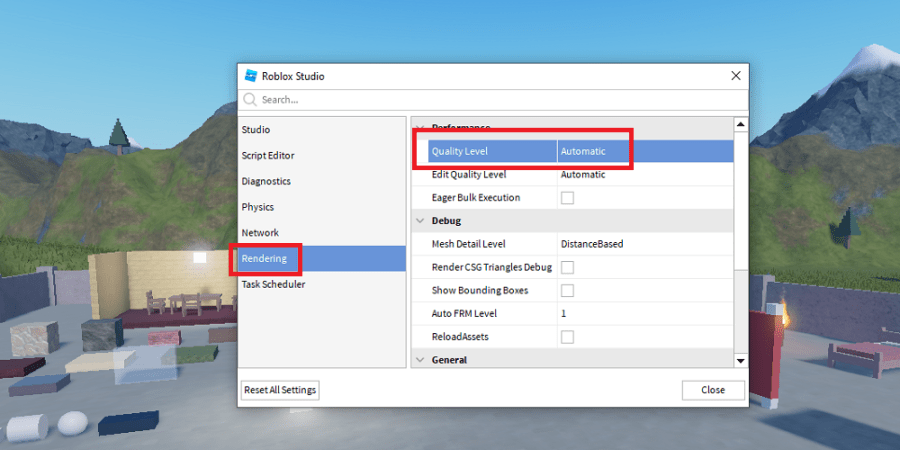
Got toRoblox Studio. Go toSettings. Go toRendering. ChangeQuality Levelto a lower number. The graphics will go lower as the number goes down. This will help significantly with FPS, but games will look less stellar than their normal appearance.
Consider Your Setup
If you still cannot achieve the increase in FPS that you desire, it might be wise to consider your computer setup. A low quality laptop will perform more poorly than a gaming computer, no matter what settings you tweak. This is a tedious and expensive option to use to increase FPS, but it is probably the most effective.
Want to learn ? Read theHow to make a Roblox Gameguide on Pro Game Guides.