Saints Row reboot allows players to design their Boss with many customization options. Deep Silver Volition released the Boss Factory to enable players to create their Boss before the game launched. Now thatSaints Rowhas launched, you can import your Boss into Saints Row; here is how to import your Boss to Saints Row.
How to share your Boss preset in Saints Row Reboot
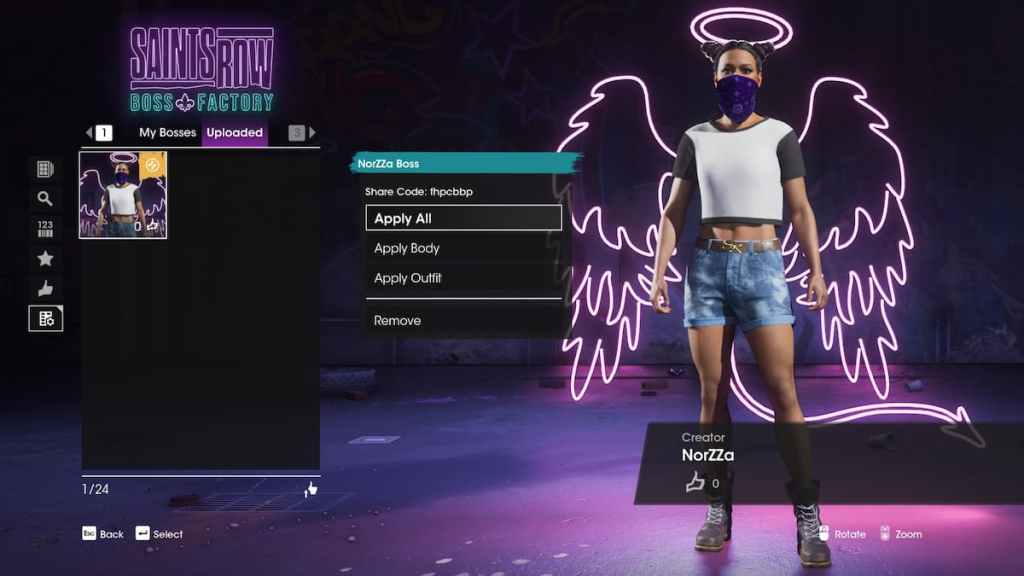
In the Boss Factory for Saints Row, you can share your design and upload it. This will allow you to download the design on another device or if the design doesn’t show in your My Bosses list. To upload your Boss, selectshare and import bosses,manage and share bosses, select the Boss you wish to share, and selectshare code. This will generate a unique code for your design into Saints Row.
Related:Best ways to earn Money in Saints Row

How to import your Boss Preset to Saints Row
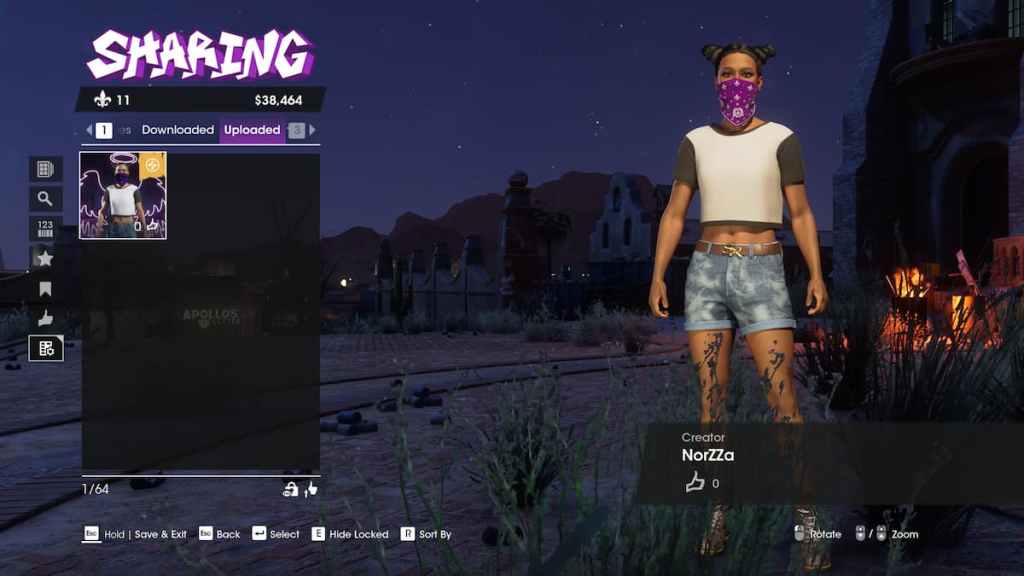
Your previously created Boss may automatically appear in the My Bosses Menu when you first reach character creation. However, this is not always the case. If your Boss is missing, you will need to wait until you have unlocked theStyle Appfor your Phone. This app unlocks after theMorning Commutemission. This app allows you to customize your Boss at any time. Toimport your preset, selectBosses,community,manage and share Bosses, and selectuploaded.
Your Boss should appear here if you uploaded the Boss in the Boss Factory. Alternatively, this menu can also search for other users' Boss creations.
For more Saints Row guides, check outHow to unlock new vehicles in Saints Rowon Pro Game Guides.