The Heaven update has arrived inWacky Wizardsand it’s brought the godly Paintbrush ingredient along with it! For a brief walkthrough on how to unlock this ingredient and a look at all of its potions, continue reading below.
How to unlock the Paintbrush ingredient
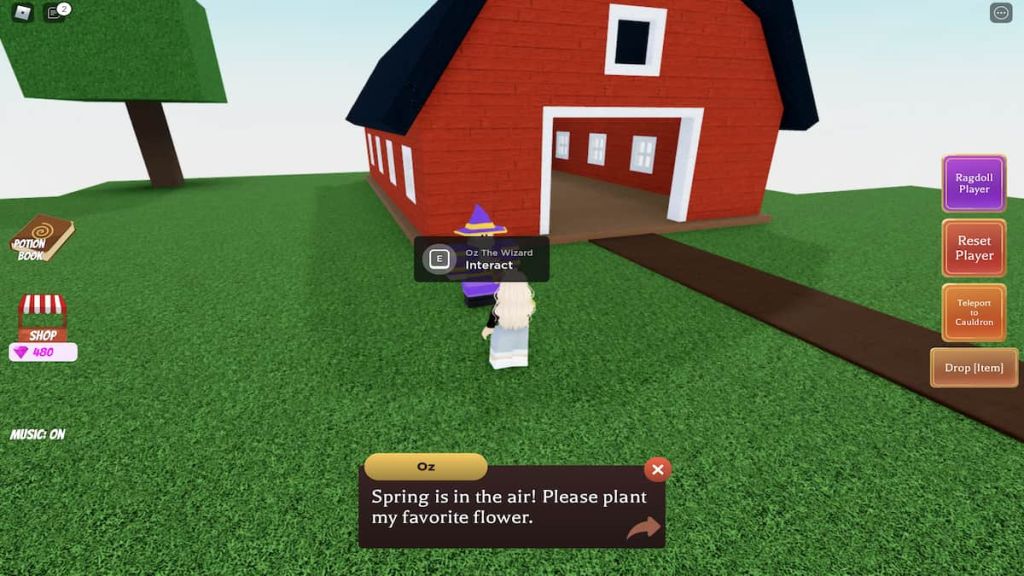
Once you’ve spawned into Wacky Wizards, look for and head toward the barn that’s located near the Cyclops Invasion sign.
At the barn, talk to Oz—he’ll ask you to plant his favorite flower and give you a small sprout.

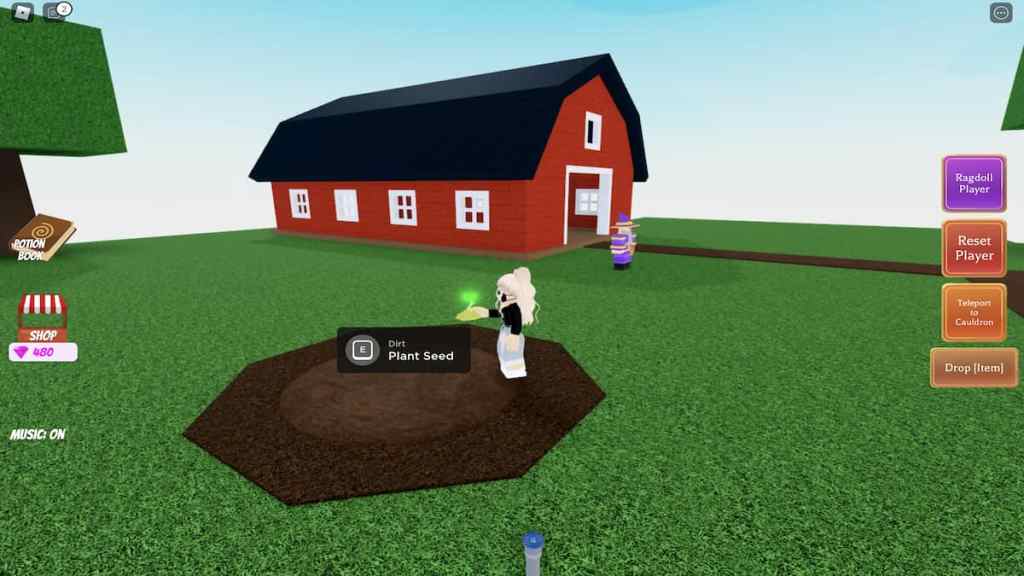
To plant the flower, walk over to the circle of dirt that’s to the left of Oz and pressE.
Next, Oz will ask you to water his flower by turning on the sprinkler. To do this, approach the sprinkler and pressE.

Related:All potions and recipes in Wacky Wizards | Roblox Wacky Wizards Full Potions List
After the flower blooms, Oz will complain that he’s impatient and express that he wants the flower to be bigger as soon as possible.
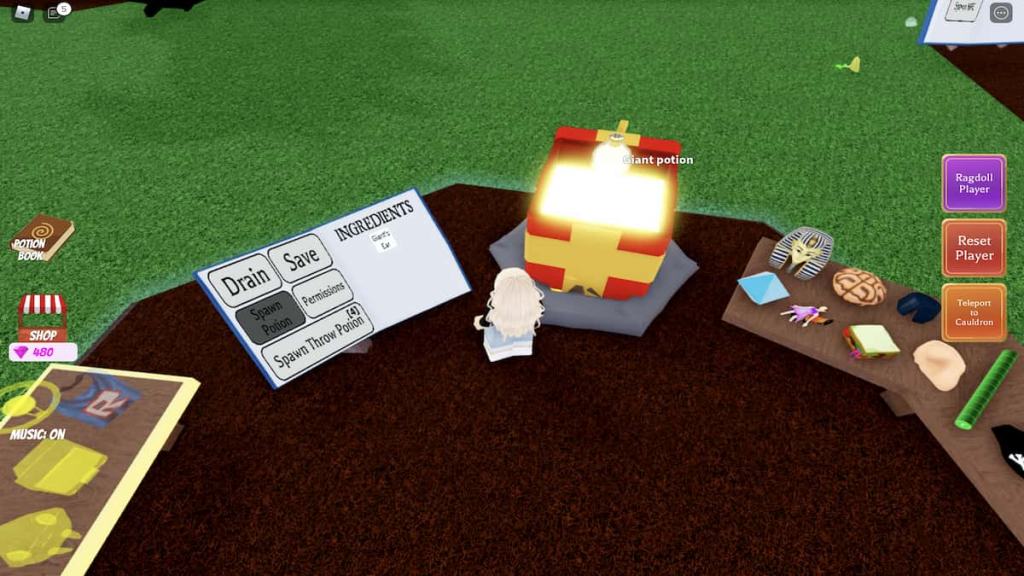
To help Oz increase the size of the flower, teleport to your cauldron and create a giant potion by using the Giant’s Ear ingredient.
With the potion in hand, return to Oz’s flower. Pour the potion on the flower by pressingE. Upon doing so, the flower will grow massively in size!
Now, climb the flower’s stem by jumping from leaf to leaf. At the very top of this flower is a vine that leads to a golden stairway (orThe Stairway to Heaven, as its labeled by Wacky Wizards).
At the top of this stairway is a locked gate,Heaven’s Gate, that contains the Paintbrush ingredient. To open this gate, you’ll need to find a way to balance Heaven’s golden scale.

Related:How to get the Star Shard ingredient in Roblox Wacky Wizards
To do this, return to your cauldron, grab another giant potion, and bring it back to the stairway. Once on the stairway, drink the giant potion to increase your Robloxian’s size.

Now you’re ready to balance the scale! To do this, jump onto the empty side of the scale and wait for it to adjust.
Once the scales are balanced, the golden gate will open and reveal the Paintbrush ingredient.
To add this ingredient to your collection, simply teleport back to your cauldron and toss it inside. Once inside, press theSpawnbutton in your potion book to begin brewing. After just a few seconds, thePaintgun-bluepotion should appear.
Paintbrush potions list
The list below features all of the currently known Paintbrush potions!
Looking for more Wacky Wizards content? Check out our recent guides onHow to get the Coconut ingredient in Roblox Wacky WizardsorHow to get the Illuminati Pyramid ingredient in Roblox Wacky Wizardshere on Pro Game Guides!