Following the likes ofGucciandTommy Hilfiger, high-fashion brand Burberry has scratched the surface of the Roblox Metaverse with their unique emote collection, BURBERRY LOLA ATTITUDE. Though Burberry has yet to create their own Roblox experience, this emote collection, which only features two emotes at the time of this article’s publication, could be an indication that one is coming soon. To find out how to obtain thistechnicallyfree emote, continue reading below.
How to unlock the BURBERRY LOLA ATTITUDE - GEM emote
Unlike most free UGC items and emotes, theBURBERRY LOLA ATTITUDE - GEMemote isn’t obtained through a link or earned inside of an experience. Instead, players looking to unlock this emotemust purchase the matchingBURBERRY BAG - GEMfor 800 Robuxfrom the Avatar Shop. Upon doing so, the BURBERRY LOLA ATTITUDE - GEM emote will be obtainable. Keep in mind, however, thatthis item is only available for a very limited amount of time, so purchase it while you can if you’re interested!
How to equip emotes
Emotes can be equipped from theAvatar Editorat any time. If you’re unfamiliar with this menu and how to equip emotes, check out the brief steps below.
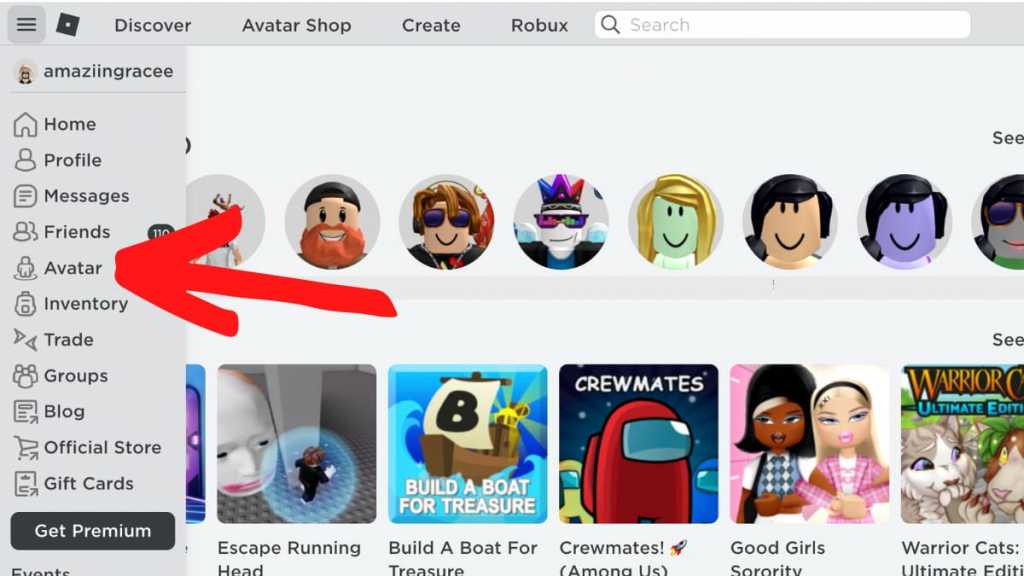
On the Roblox website, click the three lines in the top-left corner of your screen and selectAvatarfrom the drop-down menu that appears.

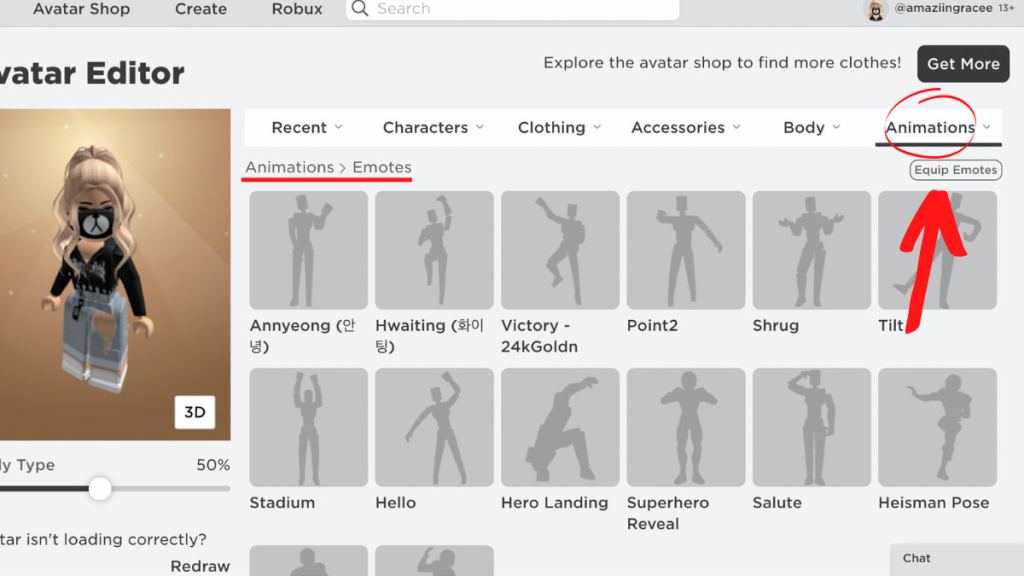
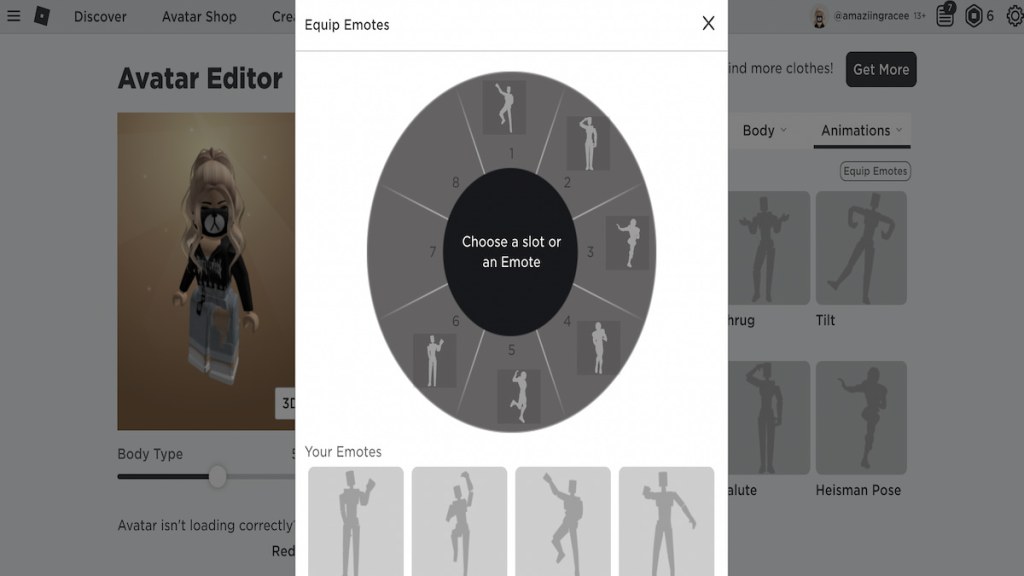
You should now be in the Avatar Editor. To adjust your emotes, select theAnimationstab and then selectEmotes. From the emotes menu, select theEquip Emotesbutton to open theEmotes Wheel.
Related:Roblox Promo Codes List (July 2022) – Free Clothes & Items!
The Emotes Wheel features eight customizable slots that can hold one emote each, so make your eight emotes count! To add or remove emotes from the wheel, simply click on the desired slot and whichever emote that you want to replace.
How to use emotes in-game
Only certain experiences allow emote compatibility; it’s up to the developer to decide if they want to add emotes into their experience. If the experience that you’re playing in allows emotes, you can use them by either pressing>to open the Emotes Wheel, or typing /e insert emote name into the chat box. If the experience that you’re indoesn’tallow emotes, however, you’ll unfortunately have no way of using your chosen emotes in said experience.
Looking for more Roblox content, including free items? Check out our recent guides onHow to get all free items in Roblox Samsung Space TycoonorHow to get all free items in Roblox Sunsilk City!