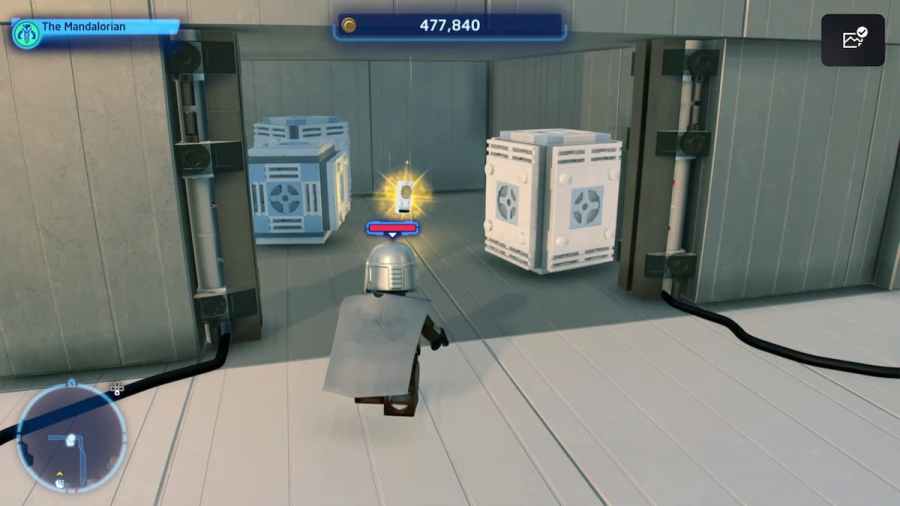
One of the most sought-after and well-hidden items in LEGO Star Wars: The Skywalker Saga are Datacards. There are a total of 19 Datacards across the Galaxy and they are used to purchase extremely helpful upgrades from the Extras tab such as the stud multipliers. Here is how to get the Datacard in Federal District in LEGO Star Wars: The Skywalker Saga.
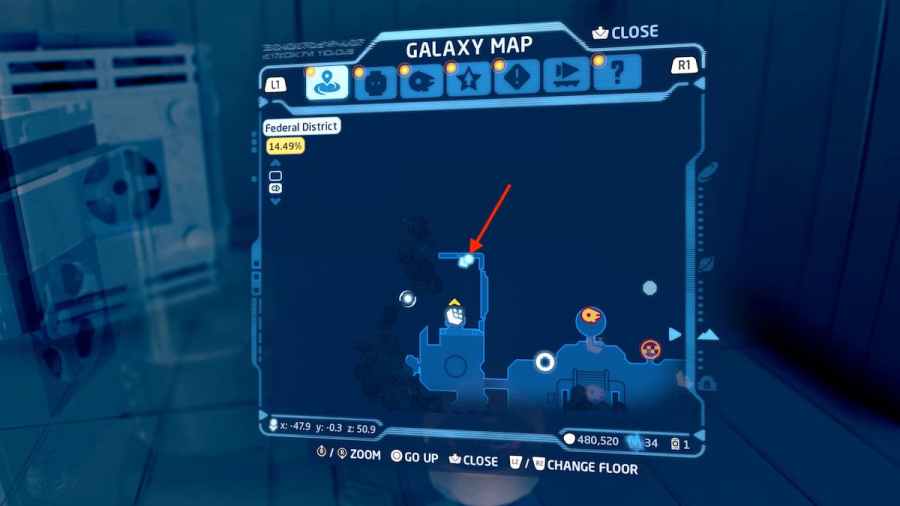
This Datacard is found in the Federal District on Coruscant. The coordinates for the Datacard are(x: -47.9, y: -0.3, z: 50.9)you can find its exact location on the map image below, and the rest of the guide will explain how exactly you can reach it.

Related:List of all 19 Datacards in LEGO Star Wars Skywalker Saga
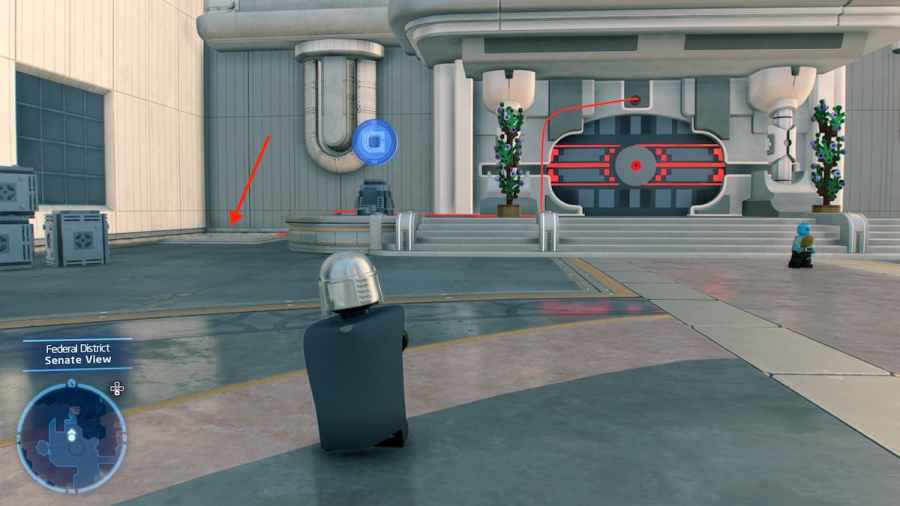
To get this Datacard, you will want to head to your right as soon as you step off the landing pad. Eventually, you will reach a big rock with a Kyber Brick on top anda large door with a red wire coming off of it. Next to this door, you will seea vent that you can jump down into. This will lead to a lower platform that you can use to reach the Datacard.
Once you areon the lower platform, just follow it around the side of the building until eventually, you reach the backside of the building and a door blocked off by an energy field. Use your characters tostep on the two buttonsattached to the field to turn it off. Once the field is disabled you are free to head inside and grab the Datacard.
So there you have it, that is how you can get the Datacard in Federal District in LEGO Star Wars: The Skywalker Saga. You can grab this data card either during the Story or during Free Play, as there is not a required character class to access the Datacard.
For more LEGO Star Wars: The Skywalker Saga guides, check outHow to complete the Color Me Rebellious Puzzle in LEGO Star Wars Skywalker Sagaright here on Pro Game Guides.