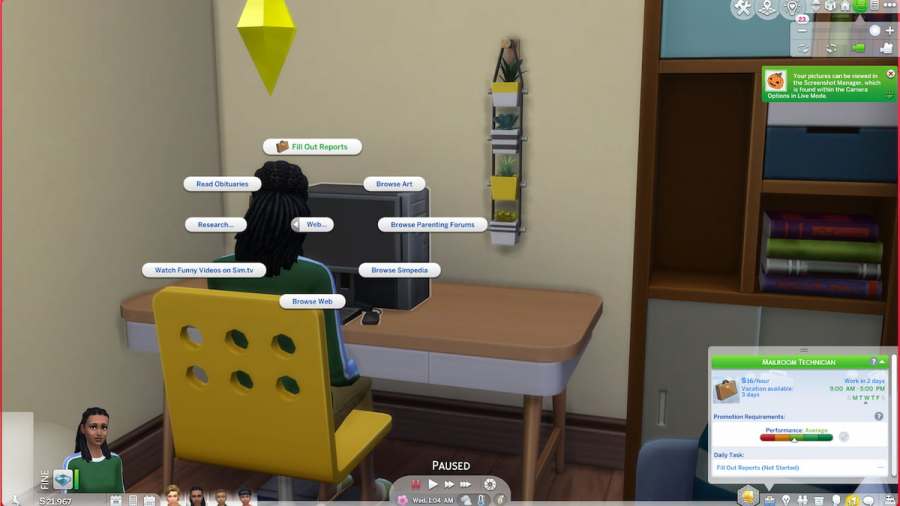
The business career can be mostly straightforward, like many other careers in The Sims 4. One issue you may run into is that a work task doesn’t tell you how to complete it. If that’s the case for you with Fill Out Reports, check our step-by-step instructions below.
How to fill out reports in The Sims 4
Filling out reports is pretty easy and straightforward in The Sims 4. You’ll need to make sure you have a computer in your home, though you can sometimes use a library computer if you don’t have the money.
Related:How to become an actor in The Sims 4 – Acting Guide

What are reports in The Sims 4?
Reports aren’t anything actually real in the game, so don’t worry that you are missing anything. They are not a literal asset like kids' homework in The Sims 4. Instead, it is just a miscellaneous computer task for your Sim to complete as part of their daily work quests. Doing these will increase work performance and get your Sims a promotion much quicker.
Want to read more about The Sims 4? If so, check outBest University Degrees in The Sims 4, Rankedon Pro Game Guides.