Meepcity is one of the best games on Roblox when it comes to roleplaying and pet collection. Despite the rumors aboutMeepcity possibly shutting down, it remains one of the top-list games because of its extensive array of customization options, allowing you to create your character into whoever or whatever you want. One of the most fun features of Meepcity is creating super tall or small characters to portray their roles of Teen or Child. While their in-game morphs adjust your size a little bit with the different ages, there are ways you may enhance them even more. Here’s how!
Customize your Roblox Avatar
The best way for this process to work is to use Roblox on amobiledevice. It lets you control the proportions of your character more efficiently than using a PC or other device. However, once you get it set on your mobile device, you should be able to save it in-game for easy access on all platforms.
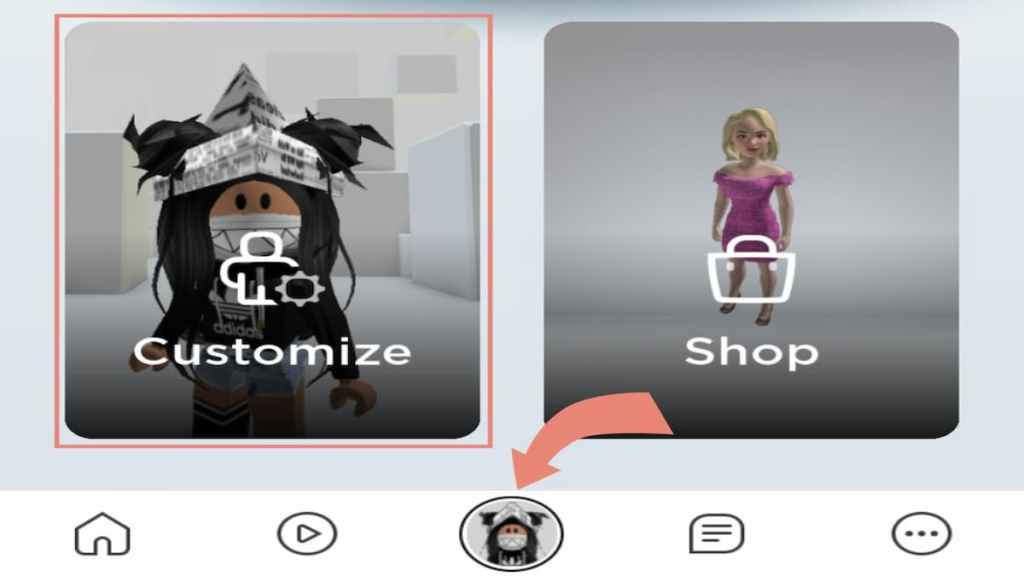
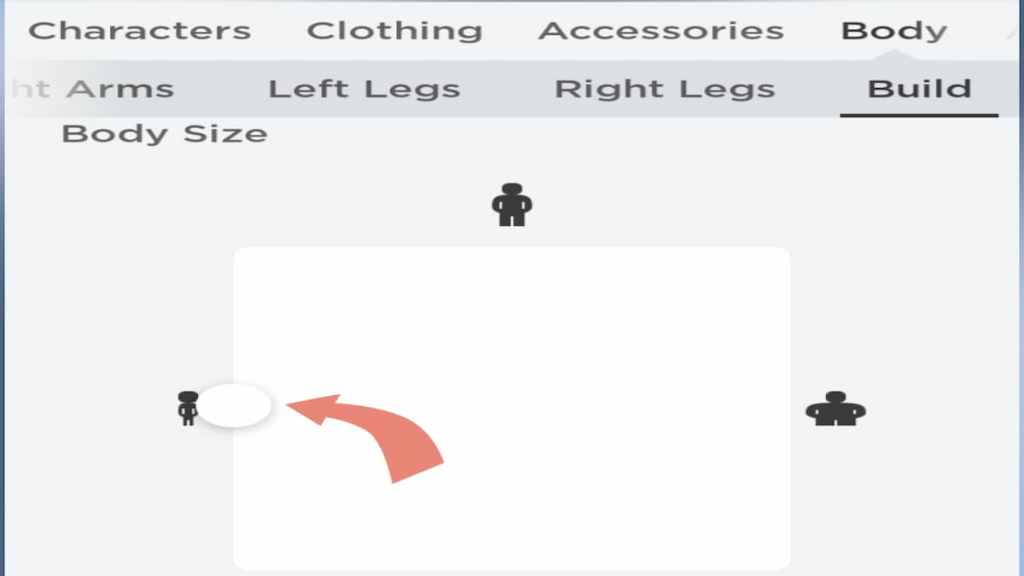
First, click on the little circle at the bottom with youravatar’s face. Once you do, you will have two options––Customize or Shop. Click onCustomizeand work your way to theBodytab. From there, you will be able to find theBuildoption, where you’re able to use sliders to adjust your body size. This will keep your proportions set for when you join the game.
How to be tall in Roblox Meepcity
Change your Body Type
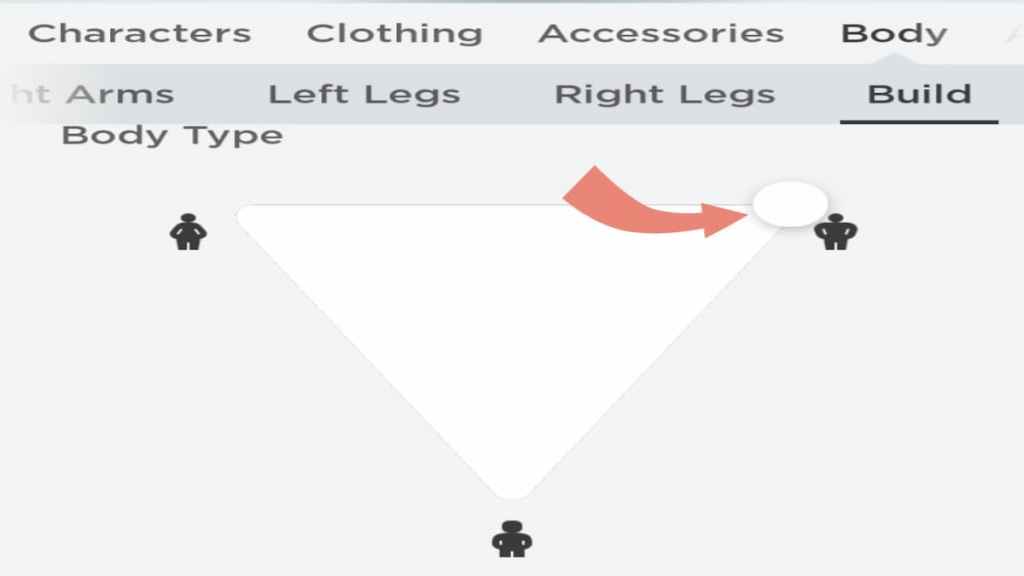
Once you’ve made it to theAvatar Customizationmenu and switch over to theBodyandBuildtabs, you can start to change up your avatar’s body types and sizes. You need to do this to enhance your size before joining Meepcity. To be super tall,click and holdwith your mouse on thecircular slideranddragit all the way to thetop right. This will make your character the tallest possible body type.
Morph into a Teen
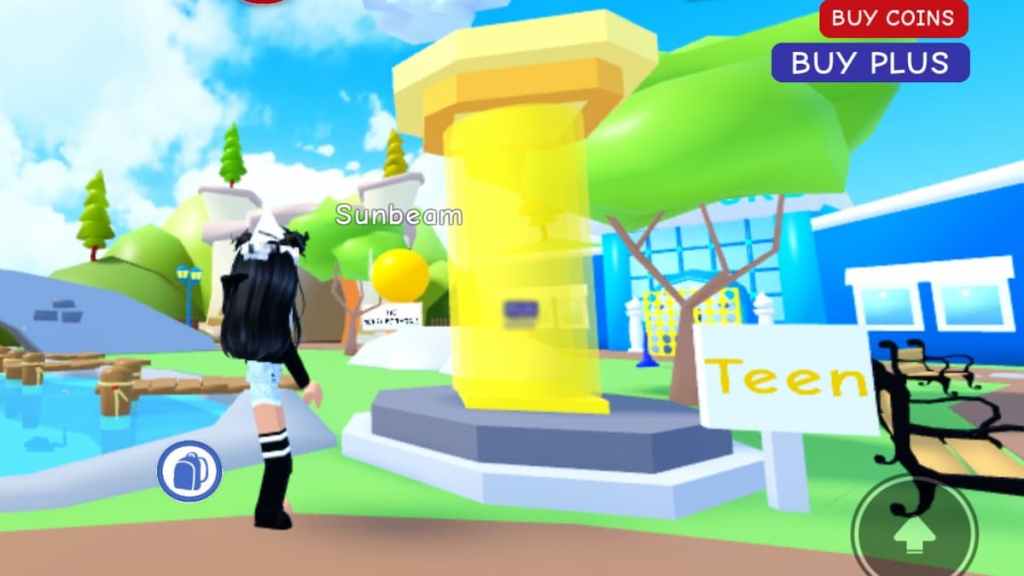
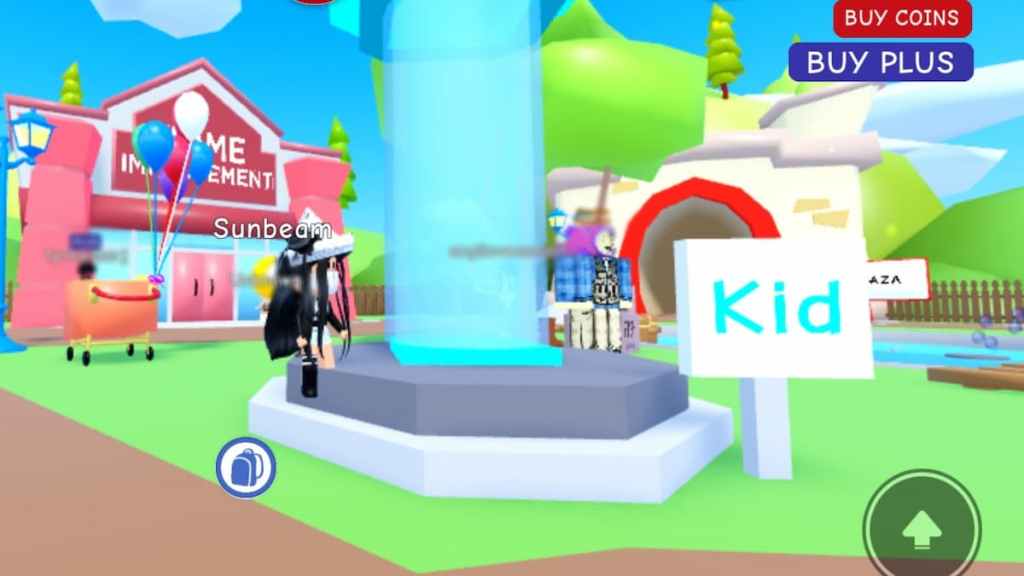
After you set the slider to the height you want,join Meepcityand go straight to the twolit-up pillars. If you’re hoping for a tall body, you’ll want to set into theTeen morphand click theYesbutton. This will make you taller within the game and won’t mess with the proportions you set beforehand.
How to be small in Roblox Meepcity
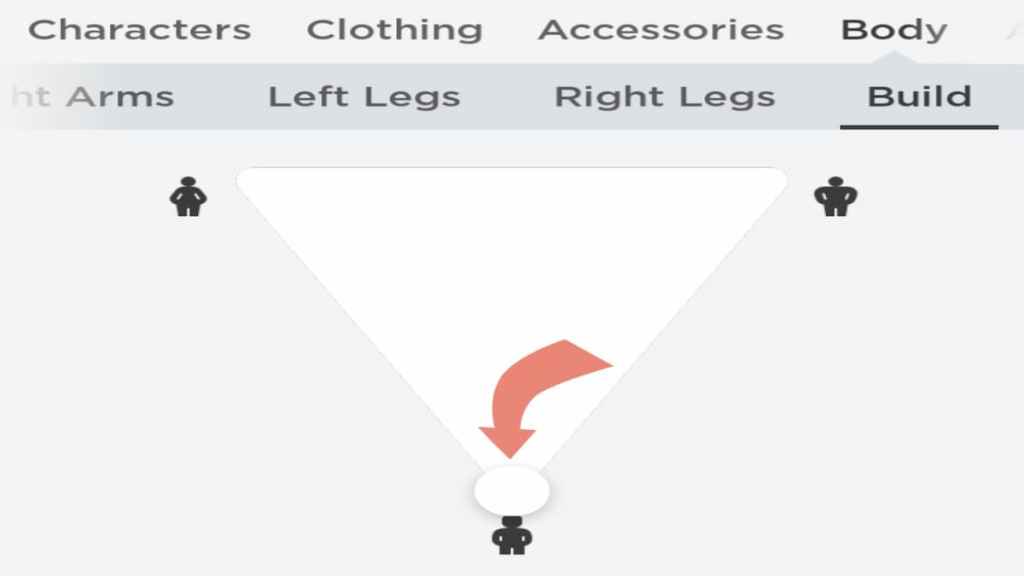
you may instead make yourself small like you did for the tall size. Once again, navigate over to thatAvatar Customization,Body,Buildmenu, thenclick and dragthecircular sliderall the way to thevery bottomof the triangle. The icons will help you figure out which direction is the right way, and you should see your avatar changing in the picture above.
Morph into a Child
After switching up the slider again, hop into the game and head over to theKid morph. This is shown as theblue-lit pillarright near the yellow Teen pillar.Stepinto themorphand select theYesbutton just like you did before. You will be the perfect itty-bitty character, even smaller than the usual kid size!
How to be slender in Roblox Meepcity
Change your Body Size
You can also switch up thewidthof your character’sbodyby using this same method! Head back to theAvatar Customizationmenu andscrolldown past the Body Type slider that you used previously until you see theBody Sizesection. Adjusting this slider will make your character bigger or more slender. To make your character super slim,click and dragthecircular sliderall the way to theleft side. You should see your avatar growing slimmer in the picture above, and it should stay set like this as you join the game.
Reset your avatar
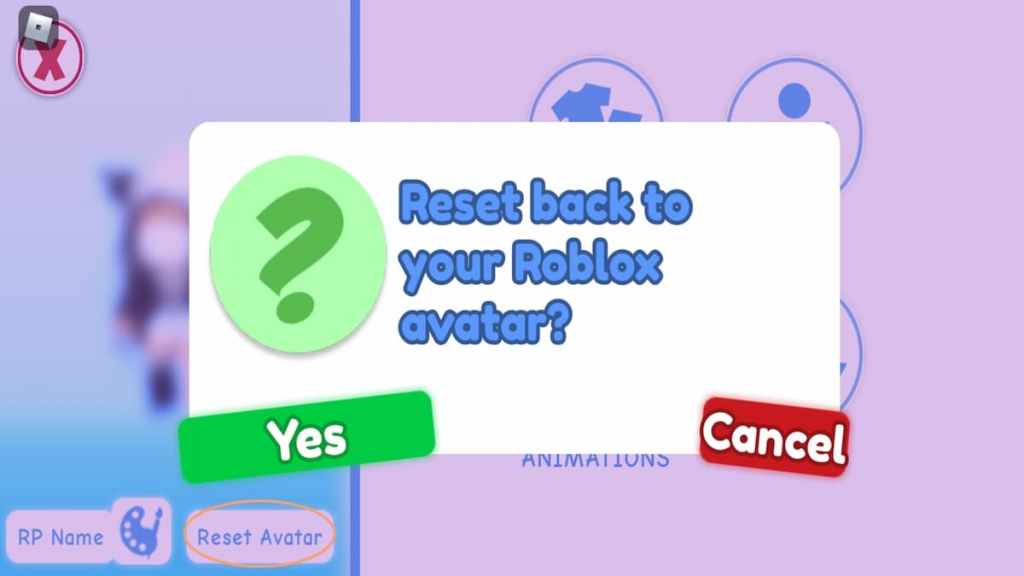
After switching up your avatar’s proportions to your desired size, you may have toresetit to see the results after joining the game. Open up thein-game character customizationmenu and click theReset Avatarbutton below your character’s picture. Then press the greenYesbutton. This will reset your character with your changes outside of the game.
Looking for more Pro Game Guides Roblox content? Check out our guides onHow to get the jetpack in Roblox LivetopiaorHow to get the Birthday Cake ingredient in Roblox Wacky Wizards!