Madden 23 features multiple camera angles for you to play from the view you want. Most players are familiar with the classic Madden camera angle, but there are others you may find better suited for your game. Here is how to change the camera angle in Madden 23.
Related:How to Stiff Arm in Madden 23 – Controls and Tips

Pressing up to change the camera angle will zoom in to a closer view, while pressing it again will change to a camera angle to a player-lock camera. The player-lock camera is used inFace of the Franchisemode by default, but the camera angle can also be changed in that mode.
Press down to zoom out to a wider angle, press down again to change to a near-bird’s-eye-view angle, then press down again to change to the broadcast view.
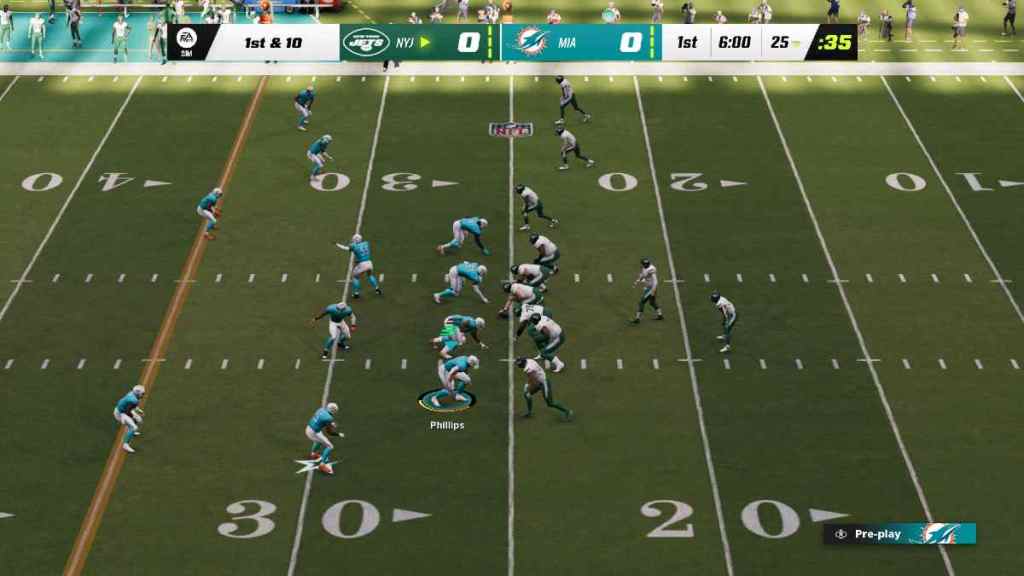
The camera angles can be cycled through during pre-snap and can be changed every play if you choose. Unfortunately, it seems Madden 23 does not have a feature yet that lets you save your camera angle preference, so you will have to change it at the beginning of each game.
Looking for more Madden 23? Check outHow to Lateral Pass in Madden 23on Pro Game Guides.
