The Almighty Arataki Great and Glorious Drumalong Festivalis a Genshin Impact rhythm game event that runs fromJune 13, 2022, to May 14, 2025. During the event period, you’re able to enjoy seven pre-made beatmaps, plus custom beatmaps made by you and other players. All players Adventure Rank 30 and above who have completed theRitou Escape Planpart of the Archon Quest Chapter II: Act I - The Immovable God and the Eternal Euthymia are eligible to participate.
How to Unlock the Event
After meeting the requirements, initiate the event by heading to the event menu and select The Almighty Arataki Great and Glorious Drumalong Festival. ClickAccept Invitation, read Itto’s letter, then selectCollapseto begin the Event Quest. Follow the dialogue until you meet the Arataki Gang on Amakane Island’s isolated shore to start playing beats.
What is Lag Calibration and How Does it Work?
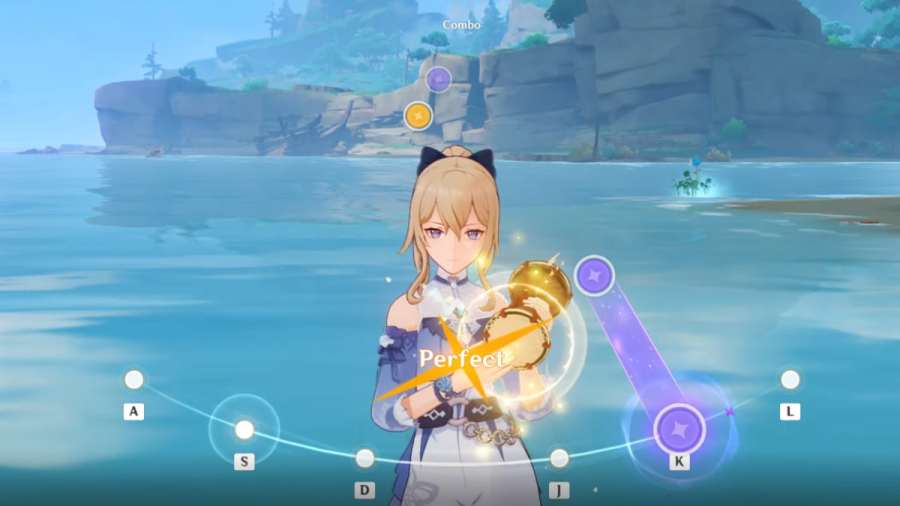
Lag calibration allows you to adjust theacceptable tap delaywithin the note tap zone. There’s a predetermined window where you’re able to get a Perfect, Good, or Failed score, depending on how accurately you click on the notes. However, if you’re playing on a laggy device, don’t listen to the beat, or are new to rhythm games, it can be a challenge to get 100 percent accuracy.
Adjusting the lag calibration changes the acceptable tap delay so you can play more comfortably. But keep in mind thatcalibrating doesn’t change the speed of the music. It only adjusts how early or delayed you can click on notes.
Related:Genshin Impact: Xinyan Skills, Talents, and Ascension
How to Adjust Lag Calibration in the Arataki Gang’s Rhythm Game Event?
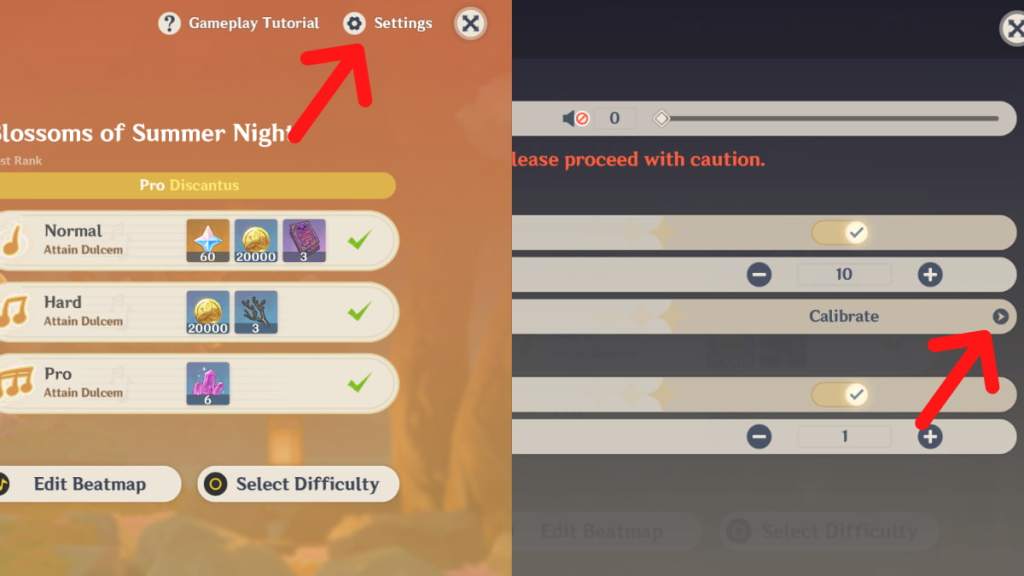
Head to theSettingsmenu from the upper right corner of the beatmap selection screen. Under Lag Calibration, click thearrow beside Calibrateto open the corresponding menu.
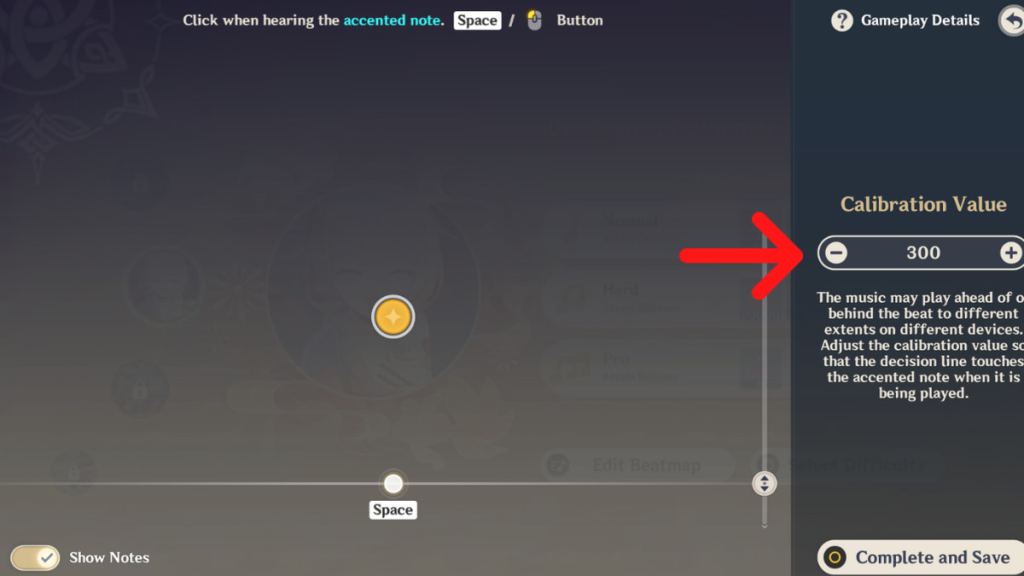
You can adjust the Calibration Value by clicking on the plus and minus signs on the right of the screen or adjusting the position of the tap zone with the slider.
Sometimes, laggy devices can cause you to tap notes perfectly but still miss, as the device can’t process the action fast enough to register in the game. In that case, adjusting lag calibration can also help ensure that your clicks register correctly despite the device delay.
If you want to play with more instruments in the game, check out our guide onGenshin Impact: Where to get the Windsong Lyre.