In Dune: Spice Wars, players can tinker with various settings to increase difficulty levels in the game. The real-time strategy game requires players to start with one of the four initial difficulty settings:Easy,Medium,Hard, andInsane. While these cannot be changed mid-game, there are a few other settings that can make Dune: Spice Wars tougher. For instance, players canDisabletheTutorialright at the start to remove the assistance features.
Similarly, while selecting the Faction, players will have to choose two out of fourCouncilorsavailable for every House. These Councilors have special traits and bonuses, and you will find that two of them have theEasyoption, while the other two are set atHard. Players can select both Councilors with the Hard option to increase difficulty while exploring the harsh desert lands of Arrakis.

Related:Who are the Fremen in Dune: Spice Wars?
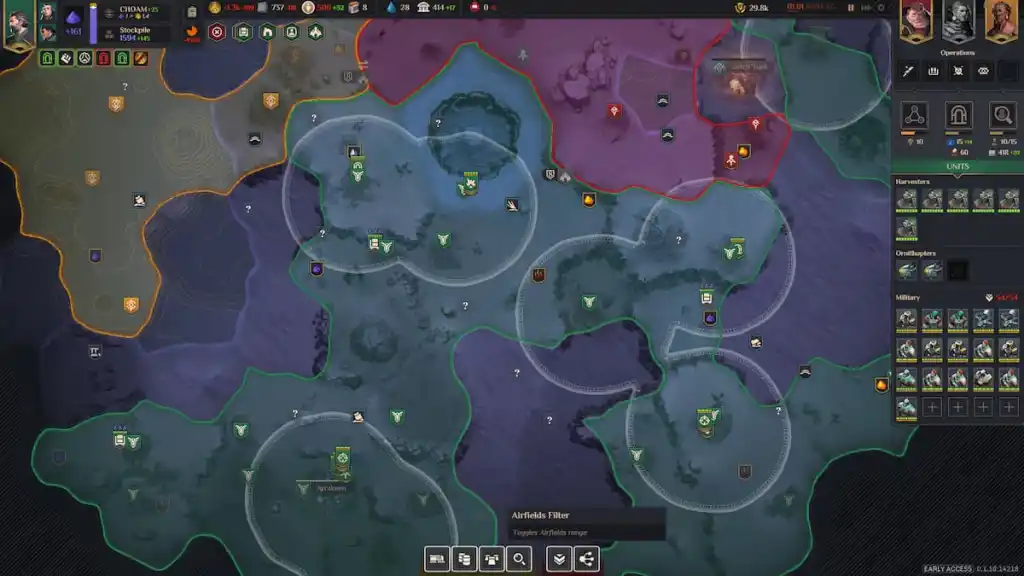
After starting your journey on Arrakis, players will get a blank map with only their Main Base visible. You will have to use the Ornithopters to identify neighboring lands and reveal them on the map. After revealing most of the map, you can scroll down on the mouse wheel to reveal the Map Filters. The image above features theseMap Filters, and they can be toggled to reduce visibility over the Regions. Players looking to take on Arrakis head-on can switch all of these filters off.
There are a few other methods to increase difficulty in the game which require players to break Treaties with opposing Factions and Sietches. This will inevitably ruin the Relationship Levels between the Factions, and increase the number of hostile raids as well as Espionage operations.
Wondering if Dune: Spice Wars follows the novels or the movie? Check outDoes Dune: Spice Wars follow the books or the movie?on Pro Game Guides.
